

Businesses / Friday March 13, 2026
How to Find Email Addresses Using Newsletter Subscriptions
Newsletter subscription forms appear on almost every company website. Most people ignore them or enter throwaway email addresses. But these seemingly simple forms reveal valuable information about company email structures, internal contacts, and communication channels.
When you subscribe to a company newsletter, you receive more than just marketing content. The sender addresses, reply-to fields, and automated welcome emails expose the organization’s email patterns, department structures, and sometimes direct contacts to specific team members. These clues help you find the exact person you need to reach.
This guide shows you how to strategically use newsletter subscriptions and form submissions as an email discovery tool, turning every company’s own marketing system into a research asset.
1. Decode Email Patterns from Newsletter Senders
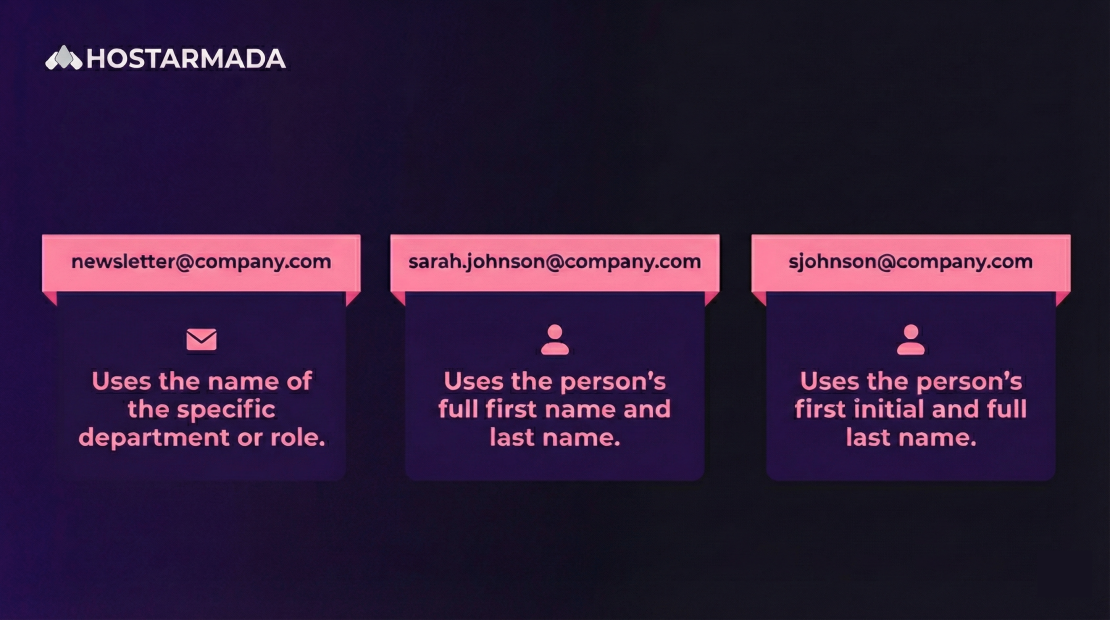
Every newsletter welcome email reveals critical information in the sender and reply-to fields. These addresses show you the exact email format the company uses across its organization.
Subscribe to any company newsletter and check who sent the welcome message. If it comes from [email protected], they use department-based formats. If it’s from [email protected], they use firstname.lastname. If you see [email protected], they use first initial plus last name.
Look beyond the from address to the reply-to field. Open the email’s full headers (usually under “Show Original” or “View Source” in your email client) to see technical details. The reply-to address often differs from the sender and might expose a real person’s email managing newsletter communications.
Check the email signature if one exists. Marketing teams often include signatures with direct contact information for the person managing subscriber communications. This gives you a verified email address and confirms the company’s naming convention.
Pro tip: Subscribe using a dedicated email address you can track separately. Create something like [email protected] so all your test subscriptions appear in one place for easy pattern analysis.
2. Extract Department Emails from Automated Responses
Automated email responses from newsletter subscriptions, contact forms, and support tickets often come from department-specific addresses that reveal organizational structure. For example:
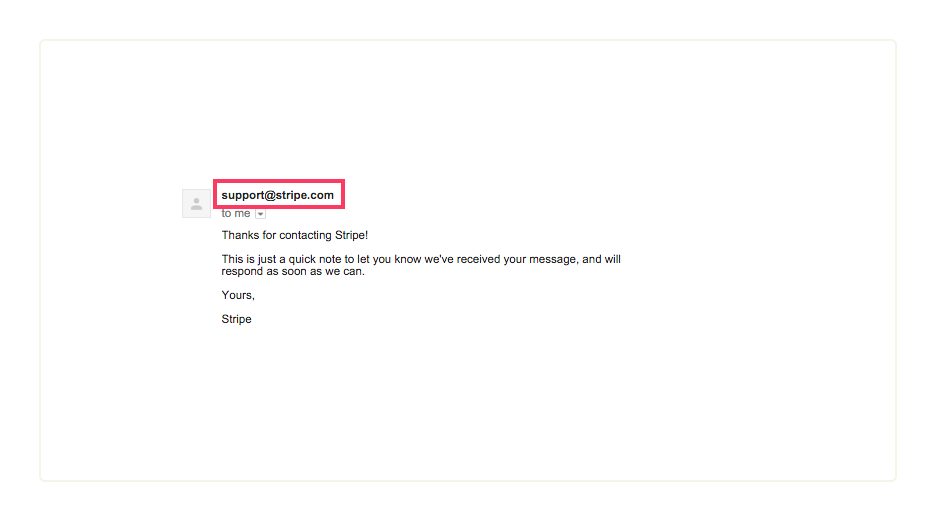
Submit inquiries through different contact forms on the same website: general contact, sales, support, careers, press. Each form might route to a different department email like sales@, support@, careers@, or press@. These addresses help you reach specific departments even if you can’t find individuals yet.
Look for ticket numbers or case IDs in automated responses. Support systems often include sender emails in the format [email protected] or similar patterns. These reveal the underlying email infrastructure and can sometimes be modified to reach different departments.
Check transactional emails if you create an account. Password reset emails, account confirmation messages, and security notifications come from specific addresses like noreply@, accounts@, or security@. While you can’t always reply to these, they confirm email patterns.
3. Analyze Welcome Email Sequences for Contact Clues
Companies send automated welcome email series to new subscribers. These sequences often include information about who manages the newsletter and how to reach them with questions or feedback.
Read through the entire welcome sequence, not just the first email. Many companies send 3 to 7 emails over the first week after subscription. Later emails in the sequence sometimes include different sender addresses or introduce team members with their contact information.
Look for “meet the team” or “about us” sections in welcome emails. These introductions often include photos, names, and roles of team members. While emails might not be listed directly, you now have names and titles to use with other discovery methods.
Check footer text carefully in every email. Regulatory requirements mean companies must include their physical address and sometimes a contact email for unsubscribe or privacy questions. These administrative emails can lead to other contacts within the organization.
Pro tip: If the welcome sequence invites you to “reply with questions,” actually reply with a thoughtful question about their content or offering. Real humans often monitor these addresses and might engage in conversation that leads to better contacts.
4. Use Confirmation Emails to Find Marketing Team Contacts
The person who manages newsletter subscriptions is usually on the marketing or communications team. These team members are often more responsive than sales or executives and can provide introductions or forward messages internally.
When you receive a newsletter confirmation, check if it’s signed by an actual person. Marketing managers often sign confirmation emails with their name and role. For example:
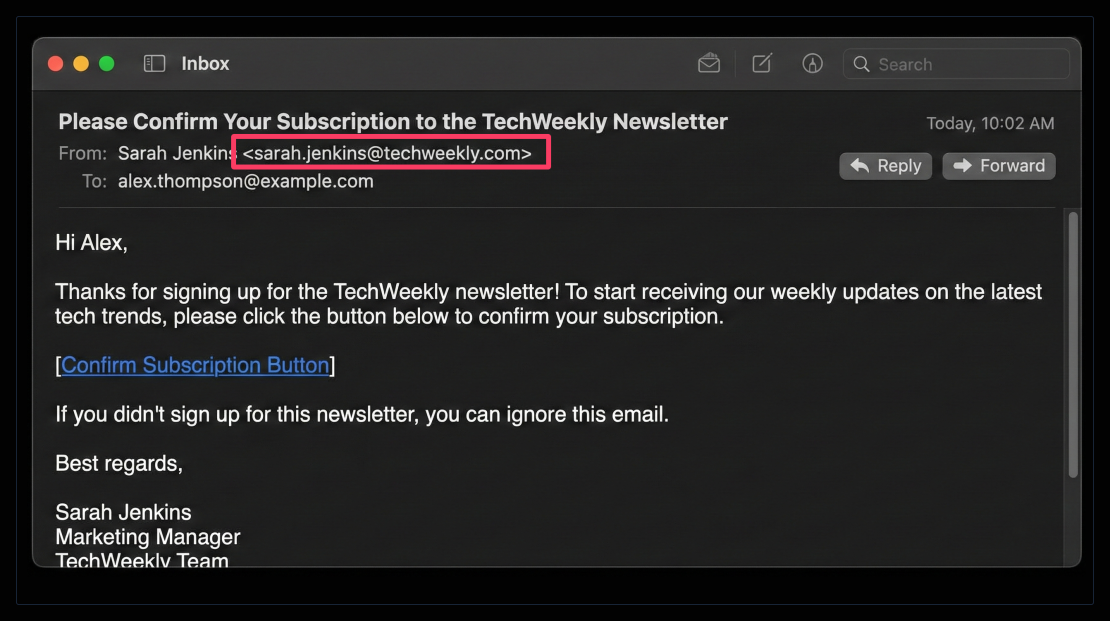
Search for that person on LinkedIn to get their full profile and potentially their direct email using other methods.
Look for personalization tokens that failed to populate. Sometimes you’ll see [First_Name] or {contact.email} in newsletter templates where variables didn’t load correctly. These reveal the email marketing platform they use (Mailchimp, HubSpot, etc.), which can inform your approach.
Monitor the actual newsletter content for author bylines. Regular newsletter editions often credit the writer or editor. These names give you specific people to target who are actively involved in external communications.
Pro tip: High-quality newsletters often include an “about the author” section or editor’s note. These sections sometimes list the editor’s email or social media profiles for reader feedback.
5. Exploit Multiple Subscription Entry Points
Companies create newsletter signup forms in multiple locations: website footer, blog sidebar, popup forms, gated content downloads, webinar registrations. Each entry point might connect to different systems or teams.
Subscribe through different channels and compare the confirmation emails you receive. A blog subscription might come from [email protected] while a product update list comes from [email protected]. Each subscription source reveals different organizational structures.
Download gated content like ebooks, white papers, or templates. These high-value assets often trigger emails from the content marketing team rather than general marketing. The download confirmation emails might include the content creator’s contact information or at least their name.
Register for webinars and online events. Webinar confirmation emails typically come from event management platforms, but reminder emails sometimes include the host’s direct email address or a personal message from the presenter.
6. Time Your Subscriptions Strategically
Companies send different types of emails depending on when you subscribe. Timing your subscription can trigger specific automated sequences or seasonal content that reveals more information.
Subscribe during product launches, funding announcements, or major company events. Companies often send special email sequences during these periods that include more team members, executive messages, or detailed contact information for press inquiries.
Test subscription at different times of day. Some companies route form submissions to on-call team members or regional offices based on timing. An Asia Pacific subscription might reveal different contacts than a North American time zone submission.
Resubscribe periodically using different email addresses. Companies update their email templates and automation sequences regularly. What you learned six months ago might be outdated, and new subscriptions reveal current practices.
Pro tip: Use a content calendar approach to track when companies typically send their newsletters. B2B companies often send Tuesday through Thursday mornings. Consumer brands might send evenings or weekends. Timing your subscription to arrive when someone is actively managing emails increases response likelihood.
7. Social Proof from Newsletter Sign-Up Pages
Newsletter landing pages and subscription forms often showcase subscriber counts, testimonials, or featured subscribers. This social proof can reveal other contacts who might be easier to reach or can provide introductions.
Look for “Join 10,000 others including…” statements that list recognizable companies or people subscribed to the newsletter. These are often industry peers or customers who might share contact information more freely.
Check testimonials on subscription pages. When companies showcase subscriber feedback, they sometimes include the person’s full name, company, and title. For example:
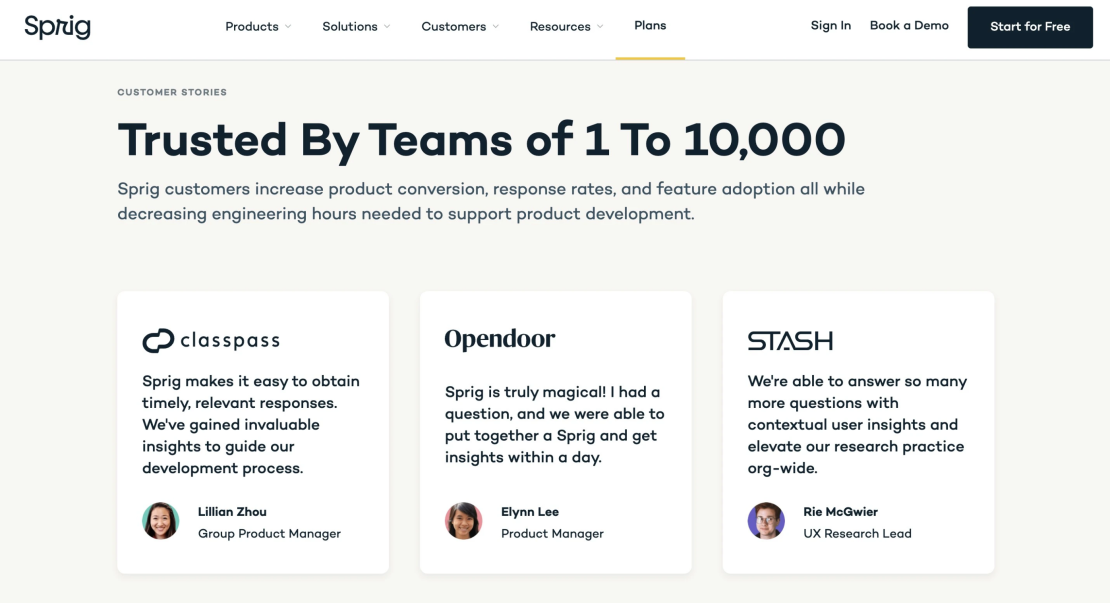
These verified subscribers become warm outreach targets who already engage with the company.
Lastly, notice any brand logos or partner mentions near subscription forms. If a form says “Trusted by companies like X, Y, Z,” those relationships suggest potential contacts at those partner companies who know the organization well.
Bonus Tip: Create Subscription Test Spreadsheets
Managing multiple newsletter subscriptions for research purposes requires organization. A systematic tracking approach helps you remember what you subscribed to and what information each subscription revealed.
Build a simple spreadsheet with columns: Company Name, Subscription Date, Subscription Source (blog, popup, gated content), Sender Email, Email Pattern Identified, Team Member Names Found, Reply-To Address, Notes. This creates a searchable database of patterns.
Track response timing for different companies. Note how long it took to receive a confirmation email, when the welcome sequence started, and how frequently newsletters arrive. This reveals how actively different companies manage their email marketing.
Document unsubscribe experiences. When you eventually unsubscribe, note whether you received confirmation, if anyone followed up to ask why, and what email address the unsubscribe confirmation came from. Sometimes companies reveal different contacts in their offboarding process.
You can also set reminders to review your subscription spreadsheet monthly. Clean up old subscriptions, update findings with new information from subsequent emails, and look for patterns across multiple companies in the same industry.
Quality Email Hosting Turns Discovery into Conversations
Newsletter-derived contact information is often rock solid because you’re finding patterns from the company’s own official communications. However, reaching these verified contacts requires equally solid sending infrastructure. Poor email hosting undermines the methodical research you invested in subscription analysis.
At HostArmada, we provide email hosting built for successful outreach. Our infrastructure ensures your carefully crafted messages reach the inbox of contacts you discovered through intelligent research. Proper authentication, maintaining sender reputation, and monitored deliverability transform your subscription intelligence into real business conversations.
Compare our hosting plans to find the right fit for your email outreach needs.
FAQs
No-reply addresses still reveal email format and often include names of team members in the content. The full headers might show routing through specific servers or include technical contacts. Additionally, no-reply addresses are sometimes monitored despite the name, so polite test replies occasionally get responses.
Receive at least the complete welcome sequence (usually 1 to 2 weeks) plus 2 to 3 regular newsletter editions. This gives you enough data to identify patterns and see how the company communicates on an ongoing basis. After that, unsubscribe unless the content is genuinely valuable for staying informed about the company.
Usually yes, but large organizations sometimes have multiple patterns across different divisions or geographic regions. The newsletter pattern gives you a strong starting hypothesis to test. If your initial guess bounces, try alternative common formats. Newsletter research is your foundation, not your only data point.
Document them in your research spreadsheet, then use them to generate email addresses for specific people you identify through LinkedIn, press releases, or company websites. Always verify generated addresses using free or paid email and sales prospecting tools before sending to protect your sender reputation and avoid bounces.
