

Technical Tips / Saturday May 16, 2026
7 Best Status Page Tools for Websites

A status page helps businesses communicate website uptime, outages, incidents, and maintenance updates in real time. The best status page tools combine uptime monitoring, incident management, subscriber alerts, and branded status pages to improve transparency and customer trust.
Whether you run an online store, SaaS platform, or business website, a status page gives users a central place to check service availability and system performance during outages or maintenance windows. It also reduces support requests by proactively informing customers about issues before they contact your team.
In this guide, we’ll compare the best status page tools for websites, their features, pricing, monitoring capabilities, and customization options to help you choose the right solution for your business.
Status Page Tool Comparison
| Tool | Best For | Free Plan | Monitoring Included | Public/Private Pages | Starting Price |
|---|---|---|---|---|---|
| Pulsetic | All-in-one uptime + status pages | Yes | Yes | Both | Free / Paid plans |
| Statuspage | Enterprise teams | No | Limited integrations | Both | Paid plans |
| Status.io | Large infrastructure monitoring | No | Yes | Both | $79/month |
| Instatus | Simple modern status pages | Yes | Limited | Public | Free / Paid plans |
| Cronitor | Developers and API monitoring | Yes | Yes | Public | Free / Paid plans |
| StatusPal | SaaS businesses | No | Integrations available | Both | Paid plans |
| Statusfy | Open-source self-hosted projects | Free | No | Public | Free |
1. Pulsetic
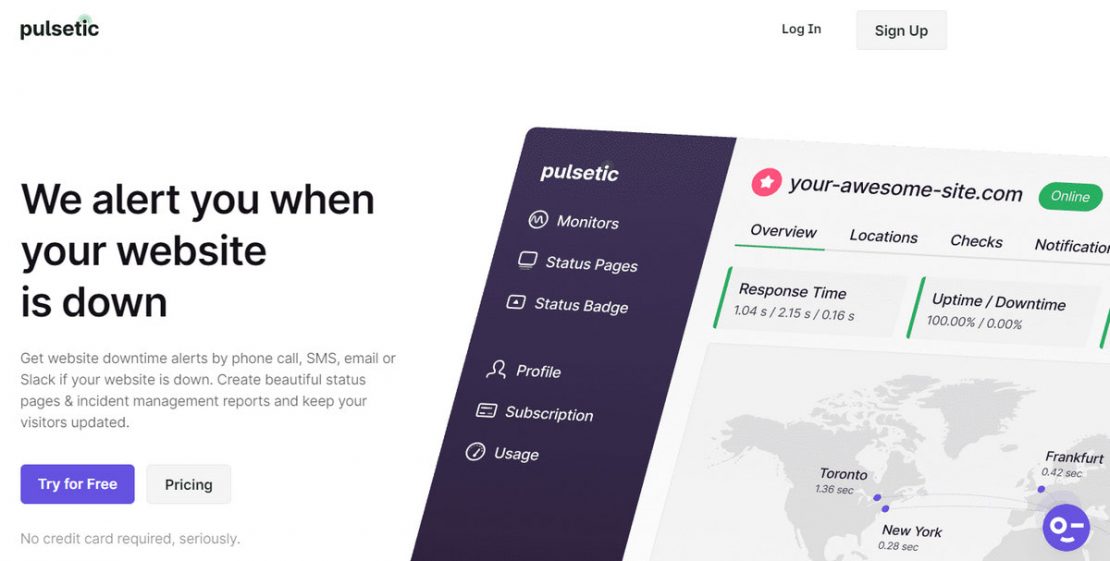
“We alert you when your website is down” is the motto of one of the most popular tracking devices and status page builders among small and mid-sized businesses worldwide. Run by a team that has brought several well-recognized products to market, Pulsetic is a reliable instrument with a long list of features. For instance, it monitors web platforms from multiple data centers around the World or provides detailed regional information.
Along with monitoring features, it offers a powerful status page builder. The latter comes with a handy drag-and-drop interface where non-tech-savvy users may quickly create a public incident report for their clients. It allows users to cover all the basics, such as uptime history, incident history, and operational status. On top of that, users may add a subscription form and create a design that fits the general theme by adding logos or setting the brand color scheme and typeface.
There is more. Pulsetic also has a range of status badges that can be customized and used in tandem with the status page in the web platform to maximize the approach.
With all those powerful features, the platform offers the best price in this niche. The starter plan, which allows monitoring 100 websites, connecting a team of 20 members, and using a multifunctional builder, costs just $39 per month.
2. Statuspage by Atlassian

Serving such huge clients as Dropbox, DigitalOcean, and Intercom, Atlassian is one of the leading companies in this niche. It provides a feature-rich solution for tracking the performance of serious web platforms and big clients. As befits, it comes with a professional yet intuitive and user-friendly status page builder that takes the incident management strategy to the next level.
Atlassian’s status page builder has a wealth of functionalities that let companies cover their needs and meet the expectations of their respective target markets. For instance, it provides the status of each component of the system, informs users about future scheduled maintenance events, demonstrates incident reports and updates, collects users through subscription forms, and much more. On top of that, it has a Status Embed widget that can be used anywhere in the platform to address users’ concerns right in time.
When it comes to pricing, Atlassian is on the expensive side. Plan for startups costs almost $100 per month. However, before jumping onto the platform, you may try a free plan to test the waters.
3. Status.io
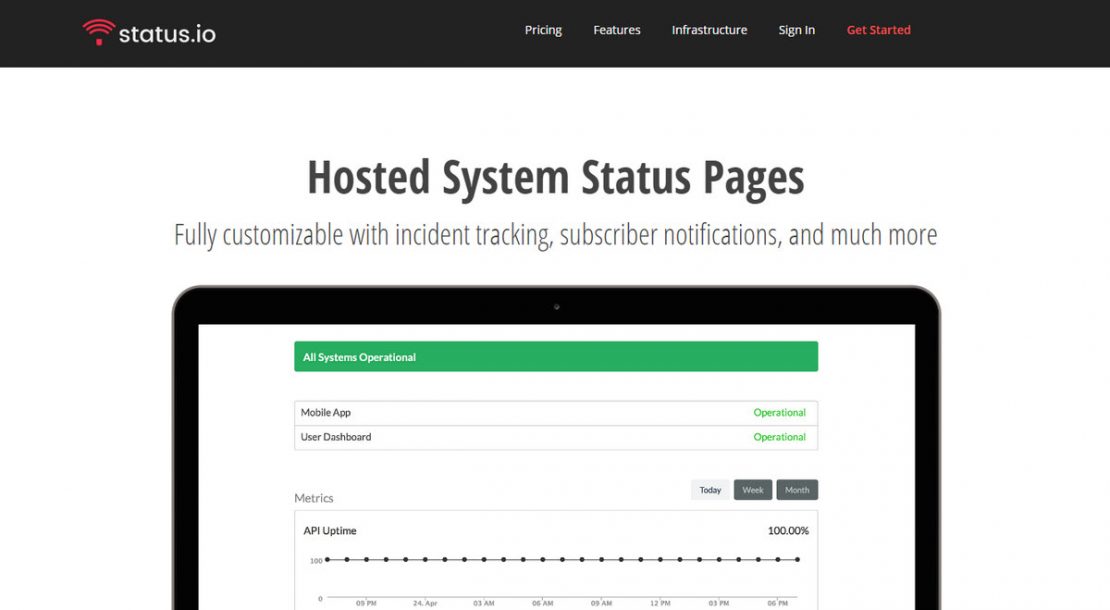
Compared to Atlassian, Status.io is a smaller platform. However, this does not mean it lacks the capabilities to generate incident reports and showcase the system’s health. On the contrary, focusing mainly on the needs and expectations of a particular market niche, it is a reliable all-in-one status page builder for small businesses across the Globe that integrates with popular services: Librato, Pingdom, Pingometer, Twitter, and Uptime Robot.
Among its main features are
- Reliable server for hosted pages with infrastructure spanning across multiple regions.
- Customizable designs based on a mobile-friendly and fully responsive layout to match brand identity and comply with modern standards.
- Full support for complex multi-tenant infrastructures.
- Widgets to display planned scheduled maintenance events.
- Automated reminders.
- Tools to control the status of each component and display its relevant metrics through charts.
- Subscriber notifications.
The price is average: the basic plan sets startups back $79 per month.
4. Instatus

As both a monitoring tool and a status page builder, Instatus presents the possibility of detecting the problem in any website or service and generating an incident report for regular users. Much like Pulsetic, it focuses only on the essential features, providing mid-sized businesses with everything they may need to maintain their web platforms successfully.
The platform allows clients to integrate with monitoring services like NewRelic or Pingdom, add Google Analytics and Microanalytics, work with unlimited team members, send updates to unlimited subscribers, customize the page’s design from top to bottom, and host the page on any provider.
The best part is that Instatus has a free plan so that anyone can test it. For those who are ready to upgrade and enjoy some professional features, the team offers two pocket-friendly plans with flat rates.
5. Cronitor

Trusted by Cisco, Johnson and Johnson, and the UK government, Cronitor boasts the greatest quantity of tools, capabilities, and freedom for serious businesses, aiming for the happiness of customers and productive workflow for the team during downtime. It covers the full ease-of-use spectrum by offering a list of integral features:
- Powerful active monitoring control center.
- Uptime and performance graphs in real-time.
- Incident communication through public or private status pages.
The latter option allows for notification through alternative means like email or SMS, custom integration with PagerDuty, OpsGenie, and VictorOps, flexible and easy-to-use API, shareable incident URLs, historical incidents, and much more.
With three pricing plans, Cronitor offers clients some good choices: hacker, business, and enterprise. The first one is free of charge – it is great for solopreneurs and those who want to try out this service. The second option is for companies that steadily move forward. It does not have a fixed price, progressively growing with the company’s demands. The third option is calculated based on the enterprise’s needs.
6. Statuspal

Unlike the majority of all-in-one tools in our list, Statuspal is dedicated to just one task – providing clients with a status page through a handy builder. It does not have an in-built monitoring capability. However, it perfectly integrates with all popular tracking systems on the web, including Pingdom and Statuscake. On top of that, it efficiently collaborates with notification services like Slack or Mailgun, alerting services like OpsGenie or PagerDuty, and live chats like Intercom so that customers can create fully-fledged data-fed status pages with the assistance of their choice.
Statuspal allows building both public and private versions. Each one can be fully customized to meet the brand’s requirements.
The service comes with these features:
- Recurring automation.
- Well-crafted incident templates.
- Markdown support.
- Support for over ten popular languages.
- Uptime history graphs for a certain period, global or per individual service.
- Subscription forms to collect subscribers and send real-time notifications on incidents and maintenance via Email, SMS, Slack, and Twitter.
- Powerful API to showcase custom metrics.
Regarding pricing, there are four options to meet the needs of companies of various scales. Thus, solopreneurs may enjoy a beginner’s plan that costs $46 per month, startups will pay almost $100 monthly, and mid-sized businesses will stump up nearly $300 every month. Big organizations have to contact the team to get custom prices.
7. Statusfy

Last but not least. Statusfy is the only option in our list that is open source. Created for tech-savvy entrepreneurs and dev teams, it allows building a Static Generated System that can be easily deployed to any hosting. It is trusted by thousands of clients around the Globe to communicate incidents with beautiful status pages. It ships with a range of supports:
- Support for markdown with GitHub-flavored units. Users may focus on incident reports, while the generator will provide the layout to deliver the message in the best way.
- Support for Vue.js, Webpack, and JavaScript. Users may write CSS Styles with their favorite preprocessors.
- Support for multiple languages.
- Support for overall customization. Users may apply any style specification they need to make the status page fit into the general environment.
- Support for hosting flexibility.
It should be noted that Statusfy calls for some obstacles to be overcome. For instance, not everyone can benefit from it: the system is intended for dev teams, not citizen developers. Also, as with any open-source project, it may have security breaches. Therefore, it is crucial to ensure infrastructure safety.
Best Practices to Create a Status Page
Enjoying the benefits of the status page calls companies to stick to the best practices in this niche. Consider some great tips shared by professionals:
Choose a Reliable Provider
The market is oversaturated with options that come with their own merits. Reliability is one of the most crucial among all the features they present. Make sure your partner has a 99.99% uptime to serve your needs when your infrastructure experiences problems.
Meet the Target Audience’s Requirements
If you are a startup, you do not need all the extravaganzas that professional instruments offer – a small yet informative status page that uncovers critical data about operational status will do. However, if you have a huge company that operates in the SaaS niche and has customers whose businesses depend on you, you may require more than just a status bar and uptime history. Knowing your audience and company’s needs helps exert the most out of this approach without wasting precious time, money, and effort.
Have a Goal
A status page may have different purposes: it might be used to build trust, eliminate user confusion, and even get subscribers. Setting the right goal helps the company prioritize features to choose the right vendor, work more efficiently towards the goal, and even get the motivation to improve marketing and brand strategies.
Automate Status Pages
Gone are the days when status pages were updated manually. Although this is still an option, if you want to keep up with the fast-paced World, you need some advanced tools with the quick response that does all the heavy lifting: update stats and notify customers through email or social media automatically.
Make the Status Page Branded
The status page should not live in a vacuum. It is an integral part of the user experience that significantly contributes to the customer experience. Therefore, do not separate it from the others. Add logotype, use brand colors, illustrations, and typography, stick to the overall theme, and employ the same structure and information hierarchy. This introduces consistency in the web platform, a crucial factor in customer satisfaction. It maintains the usability and learnability of your website on a high level, making clients feel comfortable, thereby achieving goals efficiently and quickly.
Offer Multiple Ways To Notify and Update Users
If you work in the SaaS sector, then it is crucial to notify your users about the service’s downtime or maintenance mode by alternative means of communication, such as email, social media, text messaging, or Slack, thereby giving them a head start in resolving issues with products that are dependent on you. This helps to build a strong reputation as well as elevate customer retention.
Add a Subscription Form
Not only does it help to realize the previous practice, but it also builds trust and increases the brand’s credibility. It can be used for retention campaigns as well. It is crucial to note that you should not overdo it. Do not bombard customers with updates every second: this will do more harm than good.
Add Contacts To Point People To Support Agents
Although the prime goal of the status page is to eliminate repetitive user queries to the dev team, it is still crucial to provide contact information for those who still have concerns. This will give your users and customers the feeling that you will not leave them alone with this problem and that you are ready to address any concerns and issues that bother them.
Keep the Message Simple and Clean
With an incredibly short attention span, it is difficult to cut through all the noise and deliver the right message. If customers face unclear news, they will likely bounce. Therefore, it is crucial to communicate incidents clearly and concisely, avoiding excessive data and trivia.
Include Post-Incident Data and a History of Uptime
Having historical context eases frustration when something is wrong. It also gives the sense that incidents are not the norm for the company and are resolved as quickly as possible. On top of that, this information provides visibility into the system and makes it transparent, significantly contributing to the customer’s trust.
Give Written Updates
Although users prefer to scan rather than read, making visual data like graphs, charts, and icons the best option for them to get critical information about the system’s health, nevertheless, as practice shows during degradation or a full-fledged incident, customers require a full explanation of the situation. Therefore, it is highly advisable to include customer-pertinent information, steps the customer should take, and what is being done to resolve the incident.
Show Empathy for Affected Users
Create a plan of action during an outage and guidelines for the conversation with clients and visitors. Show your empathy to comfort users.
Keep the Path Short and Clean
Add a direct link to the status page on the home page and provide a status badge in the footer that will indicate the state of the system’s health immediately.
Have a Memorable URL
Following conventions is what you need for the status page. Go for the ‘status.yourdomain.com’ or ‘yourdomain.com/status’ formats. The practice shows that many people will first try these URL addresses since many big companies use them.
How to Choose the Best Status Page Tool
Choosing the right status page tool depends on your website size, monitoring needs, and communication goals.
If you need an all-in-one solution with uptime monitoring and incident alerts, choose a platform that includes built-in monitoring. Businesses with customer-facing services should prioritize tools that support branded public pages, email notifications, and subscriber updates.
For SaaS companies and larger teams, private status pages and integrations with Slack, PagerDuty, or Microsoft Teams can improve internal communication during incidents. Smaller websites or startups may prefer lightweight tools with free plans and easy setup.
You should also consider customization, automation, historical uptime reporting, and pricing before making a decision. The best status page tool is one that keeps users informed while reducing support overhead during outages.
Conclusion
Status pages regularly stay ignored and underrated by companies and entrepreneurs. However, they are known as one of the dark horses of the digital World because they do so much good for the web platform and brand.
Communicating incidents, scheduled maintenance, and downtimes with your customers, as well as getting inner departments on the same page, brings numerous substantial benefits for the company that translate into revenue, a strong brand reputation, and the company’s and its products’ longevity.
Creating a status page is not rocket science. Even though it will take time, money, and effort, with the professional tools featured above, it will certainly pay off.
FAQs
A website status page is a public or private page that displays uptime, outages, maintenance updates, and service incidents in real time.
Yes. Even small websites benefit from status pages because they improve transparency and reduce customer support requests during downtime.
A good status page should include uptime status, incident reports, maintenance notices, historical uptime data, and subscriber notifications.
The best tool depends on your needs, but popular options include Pulsetic, Statuspage, Instatus, Status.io, and Cronitor for different business sizes and budgets.
