

Design / Friday February 6, 2026
10 Best Ways To Redecorate Your Website This Halloween

Halloween is the perfect time to refresh your website and create a more engaging experience for your visitors. Seasonal design updates help your brand feel timely, relevant, and in tune with what audiences are already enjoying online.
Just like physical stores update their decor for the holidays, websites can benefit from thoughtful, temporary changes that reflect the Halloween spirit. From subtle visual accents to themed promotions, these updates can increase user engagement, encourage interaction, and support seasonal marketing goals without disrupting your core branding.
The key is balance. A successful Halloween redesign should feel festive and fun while remaining user-friendly, on-brand, and performance-focused. Small, intentional changes often have a greater impact than drastic redesigns.
In this guide, we’ll walk through 10 practical ways to redecorate your website for Halloween, helping you create a memorable seasonal experience that delights visitors and supports conversions.
1. Change Your Color Scheme
Marketing experts usually frown upon changing your website’s color scheme, and for a good reason. Your color scheme is considered part of your branding. The idea is for the user to know precisely where they are by seeing the colors and nothing more.
Still, Halloween is the time of year when we put on masks, and it’s quite fitting to surprise your customers with a more festive color scheme. Pick up something that reflects the overall holiday – orange, green, black, or yellow. This will instantly Halloween-ify your look.
Searching on the internet, you will find countless suggestions to change your entire theme to a Halloween one for a week or two. This can work, however, only if you don’t put too much customization on your website. If you added CSS or made changes via a page builder, a new theme will either mess up your delicately balanced layout or take significant time to adjust.
Then, there is the option of creating a single page and placing it as the homepage for a week or two. This, however, will create a disconnect with your other pages, which will be much worse than doing nothing.
So, the best solution is to simply change the color scheme in the Customize panel in WordPress. Yes, this solution is available only for WordPress websites. Most WP themes allow you to update the color palette instantly through the Appearance -> Customize panel. So, go there, change the look, and ensure your customers will be greeted by a spookier atmosphere for Halloween.
2. Add Halloween Themed Fonts
The next step is to change your fonts. This is a great way to show that the spirit of Halloween has taken root on your website. However, make sure not to overdo it. Some websites will instantly apply the new font across the site, making reading difficult and unpleasant. Just imagine setting the creepster font for all your content. This would be a nightmare and not the fun kind.

Instead, change some key sections with the new font. For example, all H2 headings can be transformed with a new, creepy look. The Hero section is also a must, as you want users to get into a festive mood from the very start.
Most importantly, however, don’t use more than one Halloween-themed font.
Now, you may wonder where you can find such fonts on such short notice. Well, Google, of course. They offer some pretty cool Halloween fonts. You can search them under the “Display” or “Handwriting” categories. Or you can simply use one of the following, which we find most compelling:
3. Make Your Logo Scary
Now, this will take a bit more effort and/or money. Refurbishing your logo for the Halloween festivities is a branding goldmine. Rarely would anyone notice your logo more than when it’s spooky and out of the ordinary. Usually, logos aim to be clean, to the point, and to showcase the brand’s main business. Come Halloween, this idea takes a twisted turn, resulting in a hilarious outcome. It’s almost as if brands compete to see how to make their logos funnier and spookier.
Take Google, for example. Each year, they tie the Halloween topic to a different logo and a doodle. So, follow their lead and refurbish your logo to reflect the holiday spirit.
Now, here comes the hard part. No service can easily transform your logo into a Halloween-themed joke. So, you can take one of two approaches. Firstly, you can do it yourself through Canva, Photoshop, or Illustrator. This, however, requires some knowledge of how to use these programs. Also, it will take some time.
The other option is to hire a freelancer to handle this for you. Upwork or Fiverr is a great place to look for a suitable candidate to make the changes for as little as 50 bucks. Just don’t get tempted by a $5 solution. You will simply lose 5 bucks in the process. Pay for quality, and you will get quality.
So, do some brainstorming and decide how to make your logo Halloween-themed and funny at the same time. Then, ask a freelancer to make the changes.
4. Go Halloween With Your Non-Essential Images
Before you ask, no, not all images should be changed to Halloween-themed jokes. Your images are essential to your SEO efforts, so changing them can disrupt your results. Thus, don’t make too many changes to your content. Still, some images, like vectors and social media icons, can be a great place to further Halloween- ify your website.
In fact, changing these non-essential pictures with Halloween-themed counterparts will draw significant attention to them. So, make sure to create a plan. If you want to draw attention to your brand’s benefits, make sure to change your visuals there. If you want to grow your social media audience, use the SM icons. Finally, you can create a custom Halloween-ish CTA button, though it has never been shown to drive higher results on its own. In theory, however, this will draw the user’s attention to the CTA.
Once again, there is no easy way to Halloween-ify these icons. You can find ready-made social media icons online, but be careful when using them, as they may be licensed. On the other hand, you can also go for a graphic designer and ask them to do the job for you. It won’t be as expensive as you may think, especially if you use platforms like Upwork and Fiverr.
5. Make a Halloween-Themed Hero Section
The point of refurbishing your website is to create an initial buzz and to set the mood. And since the Hero section will be the first thing users see on your website, it’s only logical to redesign it in the spirit of the holiday.
If done correctly, this will instantly decrease your bounce rate, as people will be interested in finding other hidden hilarious changes. Furthermore, this will drive your SEO score up and increase engagement.
What image you will place and what the joke will be entirely depends on you. However, don’t make it scary in a mean way. Don’t place jump scares or other mean-spirited pranks. Make it funny, harmless, and something that will make your audience giggle rather than scream in fear. You want them to have a good time, not to be scared out of their mind.
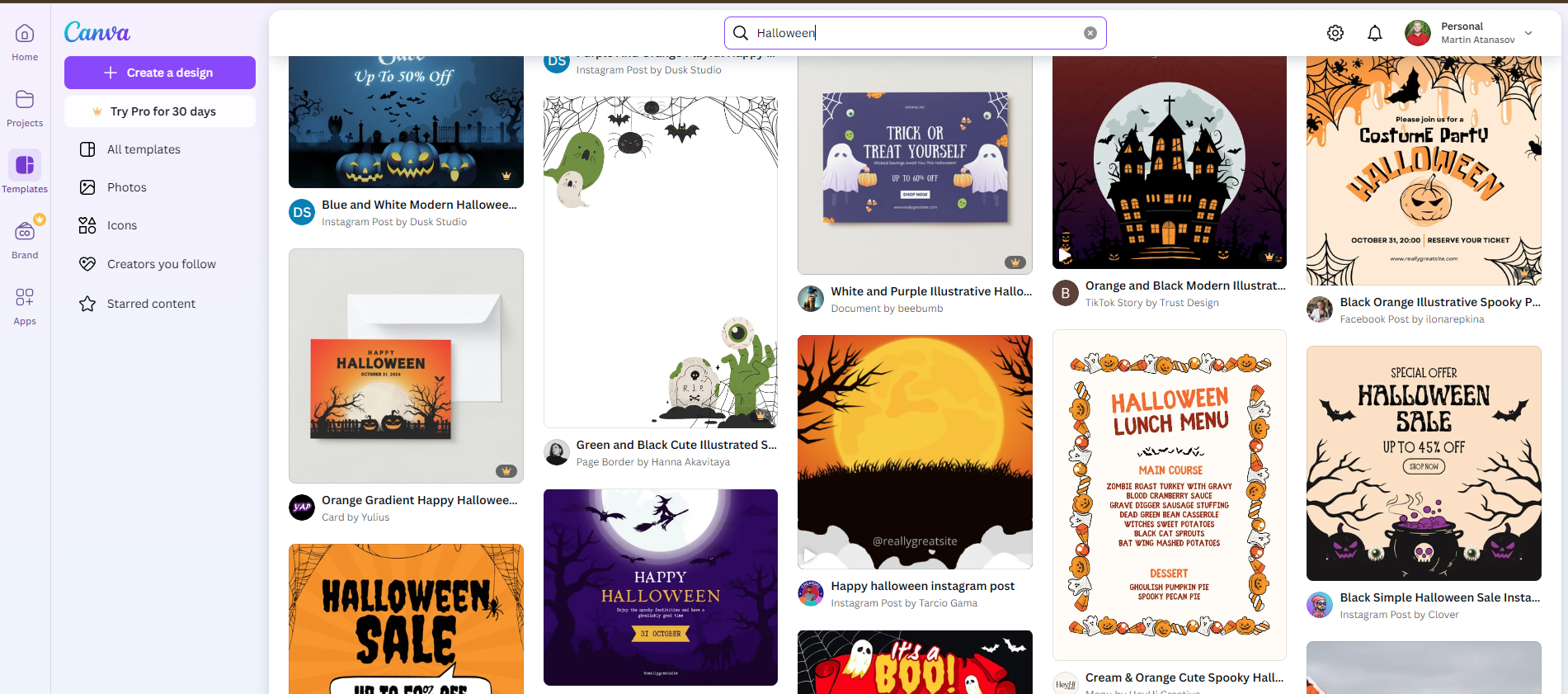
Now, such an image can be created easily through Canva, where there are countless templates you can just fill out. You can also use a layout with a premium page builder or theme.
Finally, you can do one yourself with a page builder. If you have a dedicated team that takes care of your website, this would be the best course of action, as the result will be unique and, while Halloween-ish, still on brand. However, if you’re a one-person show, investing the time into building your perfect hero, which you will use for only 2 weeks, is a waste of time. Grab a template and make it your own. It’s much faster and easier.
6. Post Blogs With Halloween-Related Topics
This one is self-explanatory. Divert your regularly scheduled blog post content with a Halloween special, just like most TV shows. What the content will be about depends entirely on your business and products. It can be something like you’re reading right now. It should be something that will pique your audience’s interest.
Now, there is a catch here. If you plan to use this content for the Halloween organic traffic campaign, you are a bit too late this year. Google usually takes 3 to 6 months to rank your content. So, posting one now is pointless if you want to rank for Halloween-specific terms. Still, it’s a great idea for next year.
The point of the Halloween-related topic is to drive engagement inside your community. Make sure to share this content across all your channels. E-mails are particularly useful in this regard.
Most importantly, make your blog post and content useful. Don’t publish something just for the sake of using the buzzword of the month. Be helpful so people will spend time on your website and feel the need to redirect to your other content or pages.
7. Trick-Or-Treat Promotion
While in the spirit of the holiday, don’t forget to monetize your efforts. Running a Halloween promotion or a Trick-or-Treat game is the most effective and on-topic way to capitalize on your efforts.
The Halloween discount is basically a must. If you show a holiday spirit, you must give your customers special deals. However, you can go a step further with promoting a game. In the spirit of the holiday, you can make it a trick-or-treat contest. For example, the user picks three boxes. The first two are some hilarious messages, videos, or images implying that the customer got tricked. Then, the third box gives them a limited-time discount on some or all products.
Make sure, no matter what the game is, that each user wins at the end. The point is not to play a game but to make an elaborate and entertaining discount marketing campaign.
Finally, you can also start a contest. A great example would be asking your community to share pictures of your product in a Halloween setting or costume. The one that gets the most likes will earn a predetermined prize. This way, you will receive a significant engagement boost while saving on prize costs.
Ultimately, it all depends on your product and vision. Put your imagination to work.
8. Add Scary Pop-ups
The next step is to take some tips from horror movies and create a jumpscare of sorts. Pop-ups are the perfect solution. Still, tune it down. The point is not to literally scare your audience. It’s to make them laugh.
This is the perfect place to put your Halloween offer right after the initial “scare.”
Now, it’s essential to know your audience. This will tell you when the pop-up window should pop up. If you rely on this pop-up as your Halloween decoration, it’s best to show it immediately after the user lands on your page. However, if your hero section and logo are also on topic, let users enjoy them and trigger the pop-up when they start scrolling or after a minute on your website.
Finally, you can also use an exit strategy. For example, when someone tries to leave your page, a pop-up can say, “No, so fast. You can never leave. At least not until you receive our X% discount”.
Designed with Halloween graphics, this won’t be as aggressive as the usual exit pop-ups, so the results should be much better.
9. Halloween Decorations
Then there are the Halloween decorations. These are the easiest ways to bring some Halloween spirit to your website. They are also the bare minimum you should do.

Several plugins can help you create a festive setting for your website. Whether we are talking about flying witches, falling jack-o-lanterns, or a simple Halloween countdown clock, this small decoration will ensure your customers will feel the Halloween cheer on your website. Still, to be honest, they are not the most effective marketing tool, so using them alone will only put you on par with your competitors. It won’t help you achieve outstanding results on its own.
10. Add Halloween Sounds
Finally, you can also add some spooky sounds to your website. Once again, make sure it’s not irritating screams or anything that would instantly scare users and put them off buying. Try to add some cheeky sound effects like screeching doors, witch cackles, spooky melodies, or anything else that makes you laugh.
You can find a specific WordPress plugin that does that, but you can also find particular tunes through Google and play them via the Audio Album plugin.
Just make sure you add a button that stops the music. Some users may find it irritating. Although they will understand the “trick,” if they can’t turn off the sounds, they won’t stick around for the “treat.”
So, tread carefully when it comes to audio effects on your website.
Performance Checklist for Seasonal Website Decorations
Seasonal website decorations can enhance engagement, but they should never come at the expense of performance. Before launching your Halloween-themed updates, run through the checklist below to ensure your website remains fast, responsive, and user-friendly.
- Optimize and compress images
Use modern formats like WebP and properly sized images to avoid unnecessary page weight, especially for decorative visuals and background elements. - Limit scripts and animations
Keep JavaScript effects, animations, and special effects lightweight. Avoid stacking multiple scripts that can slow down page rendering or block user interaction. - Test mobile performance first
Many seasonal effects look great on desktop but perform poorly on mobile devices. Always test decorations on smartphones and tablets to ensure smooth scrolling and fast load times. - Avoid audio autoplay
If you add sound effects or background music, make sure they are user-initiated and easy to disable. Autoplay audio can frustrate visitors and increase bounce rates. - Use lazy loading for decorative elements
Delay loading non-essential images, animations, and effects until they are actually needed to keep initial load times low. - Monitor page speed after changes
Run performance tests using tools like PageSpeed Insights or Lighthouse after applying seasonal updates to catch issues early. - Remove decorations promptly after the season
Once Halloween is over, roll back temporary assets to keep your website lean and avoid unnecessary resource usage.
Final Thoughts on Halloween Website Design
Of course, all these changes will make your website a bit heavier. This means your audience will need to load additional files to ensure your website runs. However, the point of the endeavor is to receive an initial response. If the flying witches show up a minute after the user is on your website, it will simply showcase how slow your website is. Needless to say, you must ensure your website infrastructure can handle these modifications and the expected influx of customers.
HostArmada is the best partner you can ask for. We offer lightning-fast website loading time, top-of-the-line security, and a 99.9% uptime guarantee. Moreover, we provide our users with a generous buffer, so if they experience a sudden surge in visitors, their website won’t crash.
So, before making your Halloween special, consider the infrastructure you need to support it. Check out our plans and choose the one that best suits your needs.
There are no tricks here, just treats. 👻
FAQs
Yes, redecorating your website for Halloween can increase user engagement and make your brand feel timely and relevant. Even small seasonal design updates can encourage longer visits and improve interaction without requiring a full redesign.
Yes, heavy images, animations, and scripts can slow down your website if not optimized properly. Using compressed images, limiting animations, and testing page speed helps maintain strong performance during seasonal updates.
They can be, as long as they are optimized for mobile performance. Seasonal elements should be lightweight, responsive, and tested on different screen sizes to ensure they don’t negatively impact load times or usability.
Seasonal decorations should be removed shortly after the holiday ends. Keeping temporary assets live longer than necessary can make your website feel outdated and may impact performance.
