

Plugins / Thursday March 12, 2026
7 Best WordPress Portfolio Plugins for Freelancers

Creating a strong portfolio is one of the most important steps for freelancers, designers, photographers, and creative professionals who want to showcase their work online. The easiest way to build a professional portfolio on WordPress is by using a dedicated portfolio plugin that helps you display projects, galleries, and case studies in a structured and visually appealing way.
In this guide, we compare 7 of the best WordPress portfolio plugins that help you create a polished portfolio website without coding. We evaluate each plugin based on ease of use, customization options, pricing, and the types of portfolios they are best suited for.
Whether you want to showcase photography, design projects, creative work, or client case studies, the right plugin can help you organize your work, present it professionally, and make your portfolio easier for visitors and potential clients to explore.
Below, you will find the top portfolio plugins for WordPress along with their key features, strengths, and limitations so you can choose the one that best fits your needs.
Best WordPress Portfolio Plugins: Quick Comparison
Before diving into the full reviews, here is a quick comparison of the 7 plugins based on ease of use, pricing, free-version availability, customization, and ideal use case.
| Best for | Free version | Strengths | Limitations | |
| WP Portfolio | freelancers, agencies, and web designers who want ready-made templates and fast setup | ❌ | beginner-friendly setup, template variety, page builder compatibility | premium-only |
| Visual Portfolio | photographers, videographers, and visual creatives who want strong presentation and media-focused layouts | ✅ | flexible layouts, image-focused features, strong visual presentation | advanced features require premium |
| NextGEN Gallery | photographers and creators who need gallery-heavy portfolios and may want to sell images | ✅ | strong gallery management, bulk uploads, proofing and ecommerce features in premium | premium version can feel complex for beginners |
| Essential Grid | freelancers who want structured grid layouts and strong integration with other WordPress tools | ❌ | visual skin editor, flexible grid layouts, social and media integration | premium-only |
| Envira Gallery | beginners who want a clean, simple portfolio builder with minimal setup | ✅ | drag-and-drop builder, easy WordPress integration, straightforward setup | fewer customization options than some alternatives |
| Go Portfolio | creative professionals who want visually striking portfolio designs and broad content support | ❌ | stylish layouts, strong customization, supports multiple content types | premium-only and slightly steeper learning curve |
| GridKit Portfolio Gallery | users who want interactive portfolio layouts with animations and flexible styling | ✅ | versatile layouts, strong styling options, and interactive presentation | free version is limited |
What To Look for in a WordPress Portfolio Plugin
Not all portfolio plugins are built the same. More importantly, not all plugins will fit your specific needs. Thus, you must consider several key points before you choose your portfolio.
First and foremost, a good WP portfolio plugin is easy to use. Most freelancers are not web developers, and those who are probably don’t need our advice on finding the best plugin. They can simply create their own. Thus, a great WordPress portfolio should have a low learning curve and an easy-to-navigate interface. This includes easy embedding and pre-made templates to avoid building portfolios from scratch.
On the other hand, the plugins should allow more freedom in the creative department. This means the plugins should be easily customizable. Being able to add a bit of glamor, like animations, is good to have, but definitely not essential. On the other hand, the portfolio it creates must be highly responsive and look equally good on PC and mobile.
Finally, the portfolio should load quickly, as no one will spend their afternoon waiting for your work to appear on screen. Decision-makers often have little time and many options. It’d be wise to accommodate that specifically, especially if you are in a competitive market.
Now that we know what we are looking for, let’s get down to business and review the top 7 best portfolio plugins for Freelancers.
1. WP Portfolio
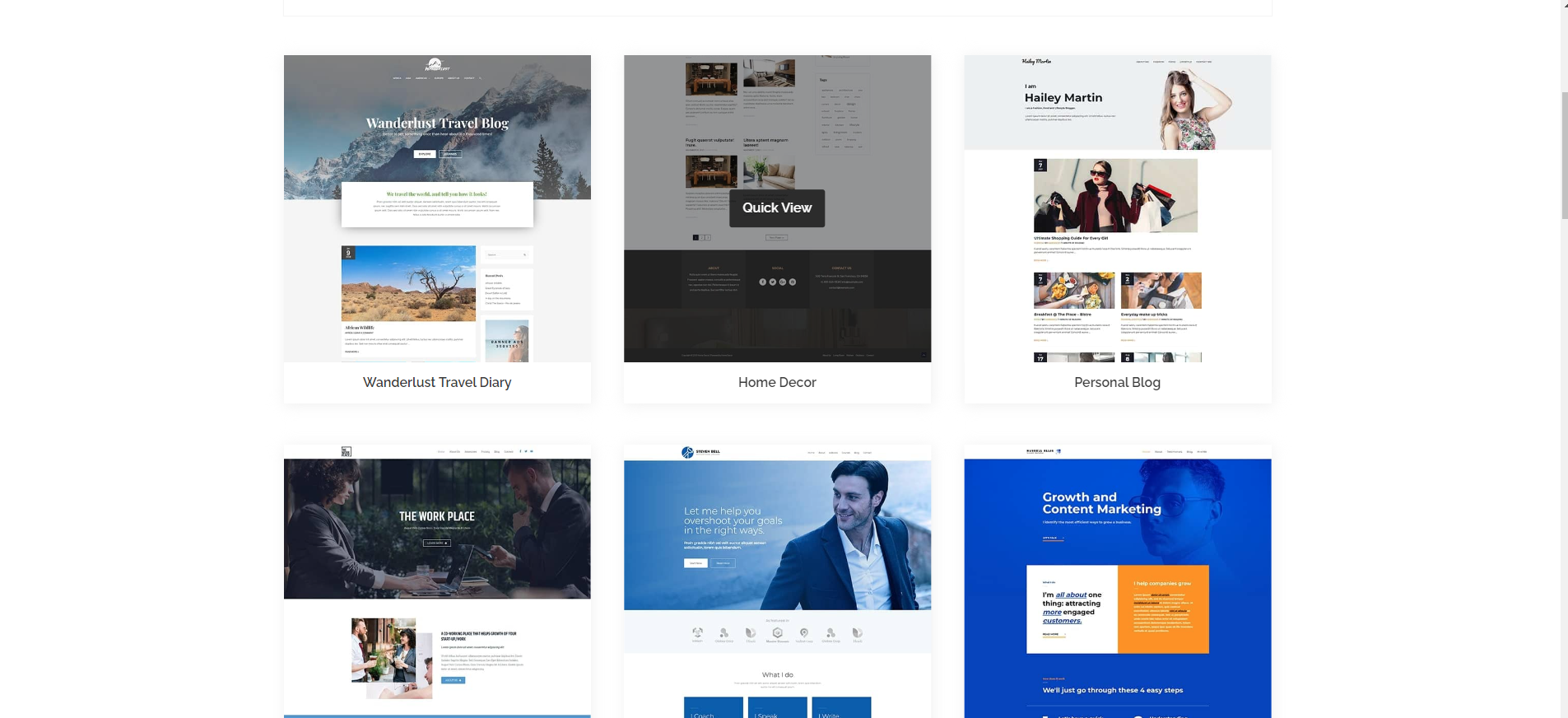
WP Portfolio is the go-to portfolio for a vast number of freelance visual artists, web designers, and photographers. Its vast array of features, though, can fulfill almost any freelancer’s needs.
The plugin offers over 48 ready-to-use templates segmented by profession. Thus, even the most clueless freelancer can find a gorgeous solution for their portfolio within seconds. If you desire a customized design, WP Portfolio allows users to build a portfolio that perfectly matches their branding and website style.
Moreover, the easy-to-use shortcodes make it easy to embed the portfolio on your website.
The infinite scroll feature keeps visitors engaged, encouraging them to explore more of a freelancer’s work effortlessly. It enhances the user experience and increases the likelihood that potential clients discover their talent.
But most importantly, WP Portfolio is compatible with the most popular page builders, such as Elementor and Visual Composer, so you can build your website in whatever way feels most comfortable for you.
Naturally, there is a downside. The plugin is paid only. Thus, if you have a tight budget, you won’t be able to take advantage of its amazing features. Still, the prices are not too steep, with an annual fee of less than 50 dollars.
So, if you are ready to spend this amount, definitely consider whether the WP Plugin will work for your needs.
2. Visual Portfolio
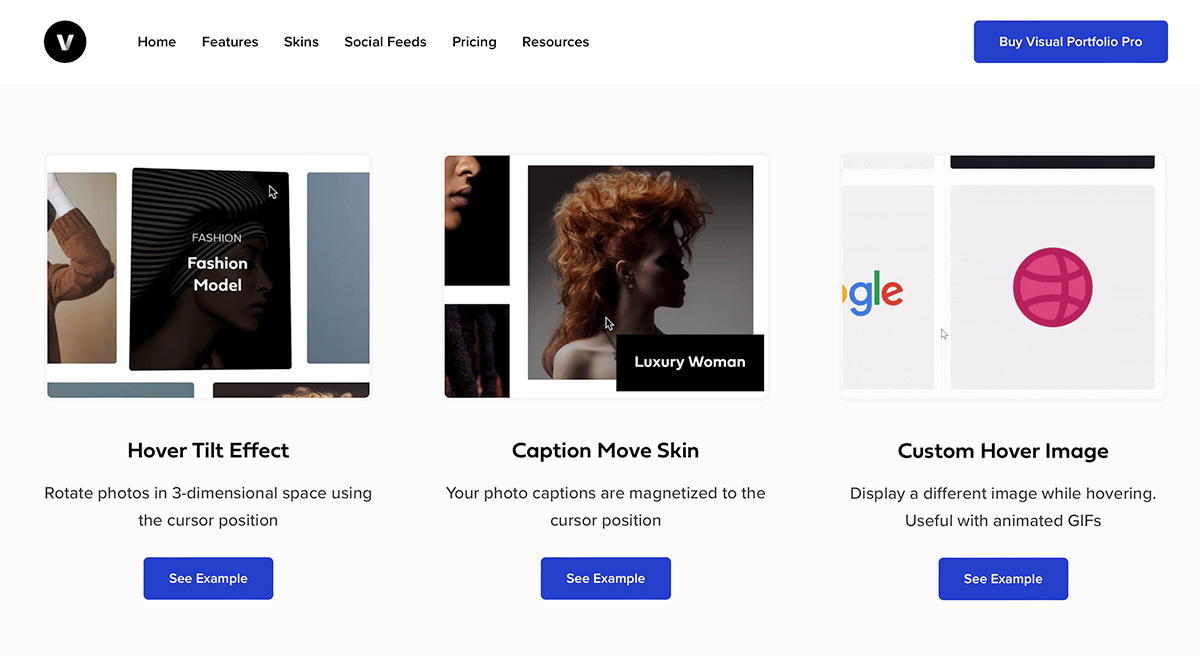
If you want to enhance your online presence significantly with a gorgeous portfolio, look no further than Visual Portfolio. This plugin is exceptional in presenting your work in a visually stunning manner. Naturally, photographers, videographers, and artists are its most frequent users.
The Visual Portfolio offers several layout options, each answering a specific need. Regardless of your choice, you can customize it even further to make it your own.
Visual Portfolio’s advantages extend beyond aesthetics. It includes photography-centric features such as image theft protection and client photo proofing, which are invaluable for professionals in the visual field.
Furthermore, the plugin has a free version, albeit slightly cut. Some of its more advanced features are reserved for premium users. But even if you decide to invest in this astounding portfolio plugin, you will pay less than $50 a year. This way, you will be able to benefit from its social media integration, image filters, and other features, enhancing the overall user experience.
The only downside of the plugin, apart from the limited features in the free version, is the sheer number of customization options. This can be a bit overwhelming to beginners.
Still, Visual Portfolio is a perfect choice for photographers, videographers, and anyone who wants to protect their images from getting stolen.
3. NextGEN Gallery

As the name suggests, this portfolio is based on a gallery. Naturally, it would be perfect for photographers and visual artists, but it also works surprisingly well for portfolios in other fields. Since its introduction in 2007, NextGen Gallery has been the standard, and all other plugins have followed suit.
The best part about this plugin is that its free version offers everything you need to build a stunning portfolio. It allows bulk image uploads, metadata imports, and some simple gallery customizations. You can choose from three gallery styles and two album styles. Still, that’s quite enough if you are just starting out, looking for a portfolio.
The premium version is where NextGen Gallery truly shines. Freelancers can benefit from features such as gallery extensions that let them sell images directly from their WordPress site. It also offers access to a wide range of gallery styles, photo proofing, Lightroom integration, deep linking, and more. But that’s not all. The plugin includes social sharing via Pro Lightbox and supports secure payment methods, including credit and debit cards and PayPal. This makes it more than a mere portfolio. It elevates it to a genuine marketplace for your photos.
Of course, these benefits come at a substantially higher price than the average. Moreover, if you are just starting, the premium version and its features will be very overwhelming. So take your time to learn how they work before you jump straight in.
4. Essential Grid
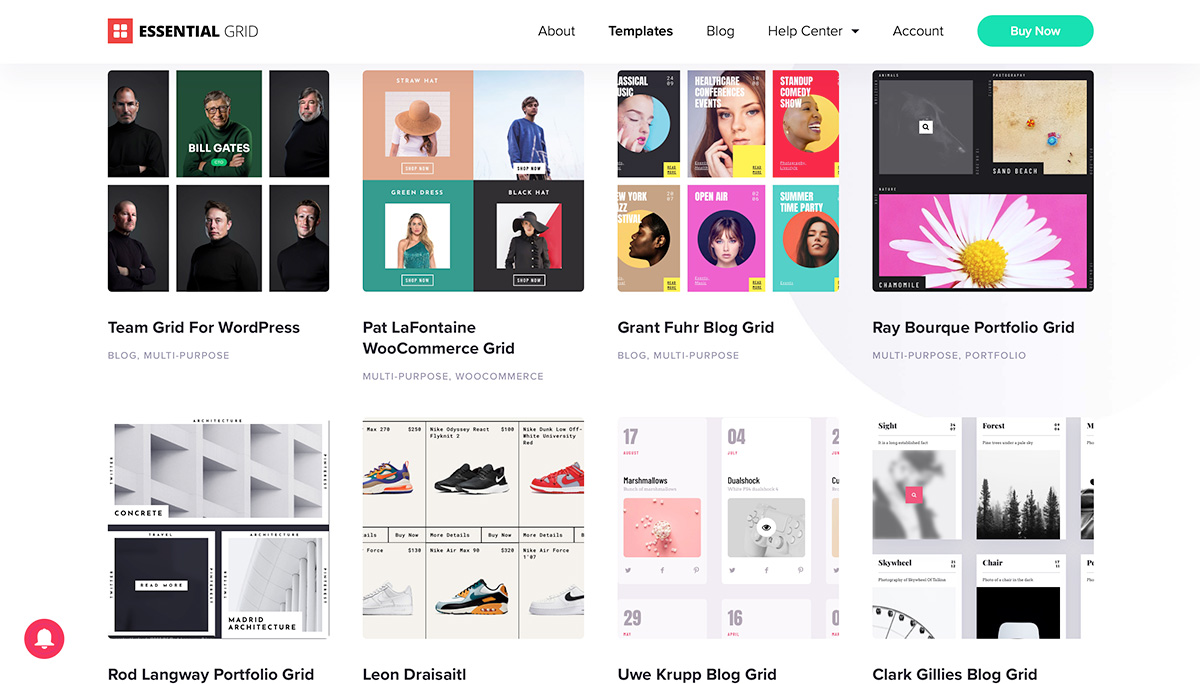
Essential Grid is a fantastic general-purpose portfolio plugin. Its strengths lie in its ability to create grid-style galleries, making it an ideal choice for freelancers all across the market. Freelancers can use Essential Grid’s phenomenal gallery-building capabilities while also having the flexibility to link projects and services effortlessly. One standout feature of Essential Grid is its compatibility with various WordPress plugins, which simplifies importing existing galleries and saves valuable time.
One of its best features is the visual skin editor. It allows users to preview their page before publishing, thus reducing the stress of adding or changing the portfolio on a live website. Furthermore, the 40 customizable templates offer ample design options. So, even if you have absolutely no vision of how your portfolio should look, Essential Grid has you covered.
Essential Grid’s seamless integration with popular social media platforms like YouTube, Twitter, Instagram, and Vimeo allows users to enhance their portfolio’s reach and use already published resources with a click.
However, Essential Grid is a premium plugin, meaning there are no freebies when using it. While the pricing is extremely reasonable, this may be a drawback for freelancers who start their endeavors as side gigs and are not ready to invest in plugins.
Still, if you are serious about building a freelance business, Essential Grid is definitely worth checking out. Especially if you’re not a photographer or a visual artist. As you’ve already seen, most plugins cater precisely to their needs.
5. Envira Gallery
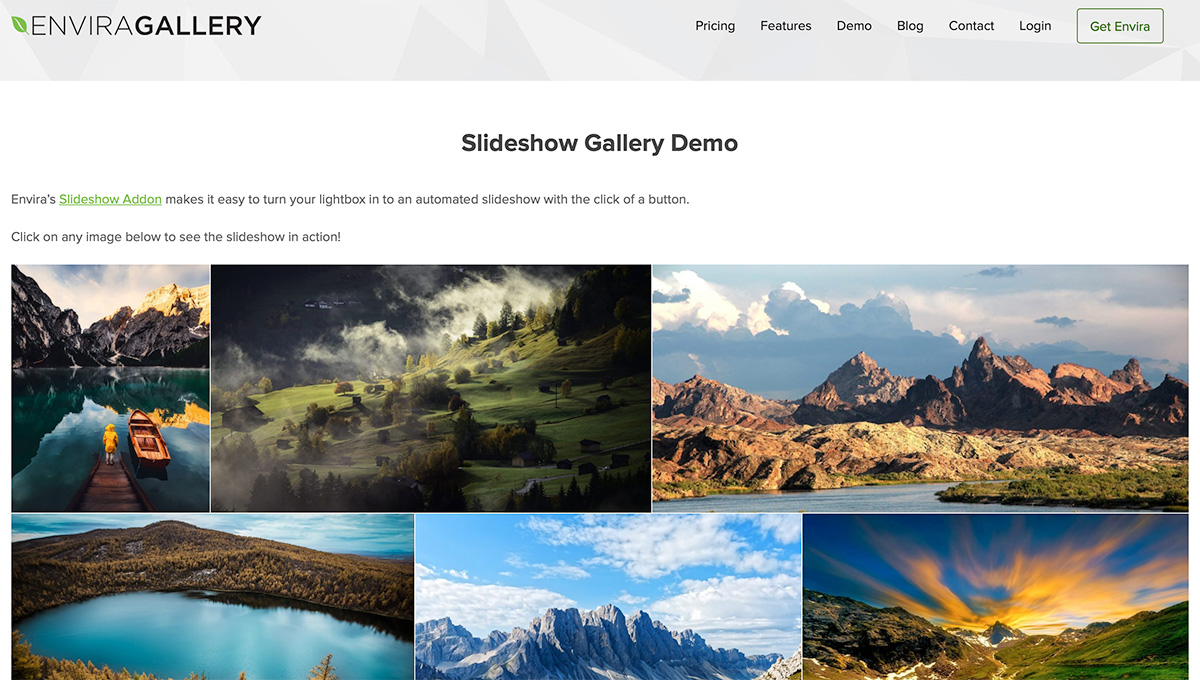
Elegance and simplicity. That’s what Envira Gallery is all about. If you are looking for a clean and straightforward way to represent your work, this plugin is definitely for you.
What sets Envira apart from other similar plugins is the extremely user-friendly interface. The drag-and-drop builder enables even complete beginners to build unique galleries for their work. If you don’t have a vision, though, worry not. Envira offers a range of pre-built templates. Just find the right one in the library, and you are ready to go.
Moreover, Envira Gallery integrates seamlessly with the WordPress block editor, making it a breeze for freelancers to embed their portfolios within their websites. The plugin also supports social media integration, allowing users to showcase their portfolios more broadly without adding extra steps.
For those looking to monetize their portfolio, Envira Gallery offers WooCommerce support, streamlining the process of selling creative products online. Additionally, image-proofing enhances the user experience, particularly for visual artists seeking feedback on their work.
Unfortunately, if you want access to all these features, you will have to pay. The lite version is quite enough for a mere portfolio, but you will need a premium account to enhance it to a marketplace.
Another downside of Envira Gallery is its relatively small number of customization options compared to other plugins on the market. Of course, this makes it extremely easy to use, especially for beginners. Still, if you want your portfolio to look unique and exquisite, Envira won’t suffice. However, don’t be quick to discard this option, especially if you are just starting your journey.
6. Go Portfolio
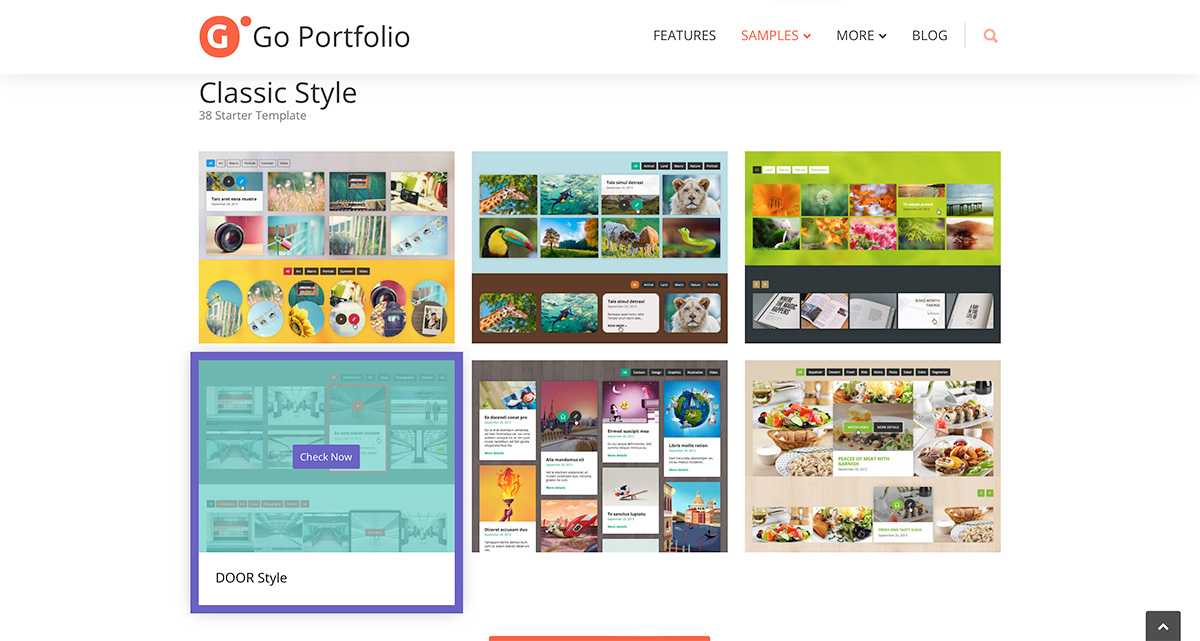
When it comes to beauty and style, there is no better option than Go Portfolio. Its outstanding aesthetics make it a prime choice for all creative professionals who want to stand out and add flair to their portfolios.
One of Go Portfolio’s standout features is its support for various content types, including standard posts, custom post types, WooCommerce products, and multimedia content such as videos. This flexibility ensures that freelancers can curate diverse portfolios tailored to their specific needs. It’s genuinely outstanding in terms of customization options. It offers four default styles, unlimited color skins, and the flexibility to adjust the number of columns. This allows even newbie freelancers to maintain their branding style and make their portfolio an integral part of their website rather than an add-on.
Moreover, Go Portfolio’s commitment to SEO optimization and full responsiveness ensures that portfolios look stunning and help freelancers expand their reach.
Unfortunately, for those on a tight budget, this aesthetic masterpiece is only premium. Moreover, while it offers some substantial customization options, beginners may find them overwhelming and complicated, as they have a slight learning curve.
Regardless, Go Portfolio is THE choice if you are looking for a visually stunning portfolio above all else.
7. GridKit Portfolio Gallery
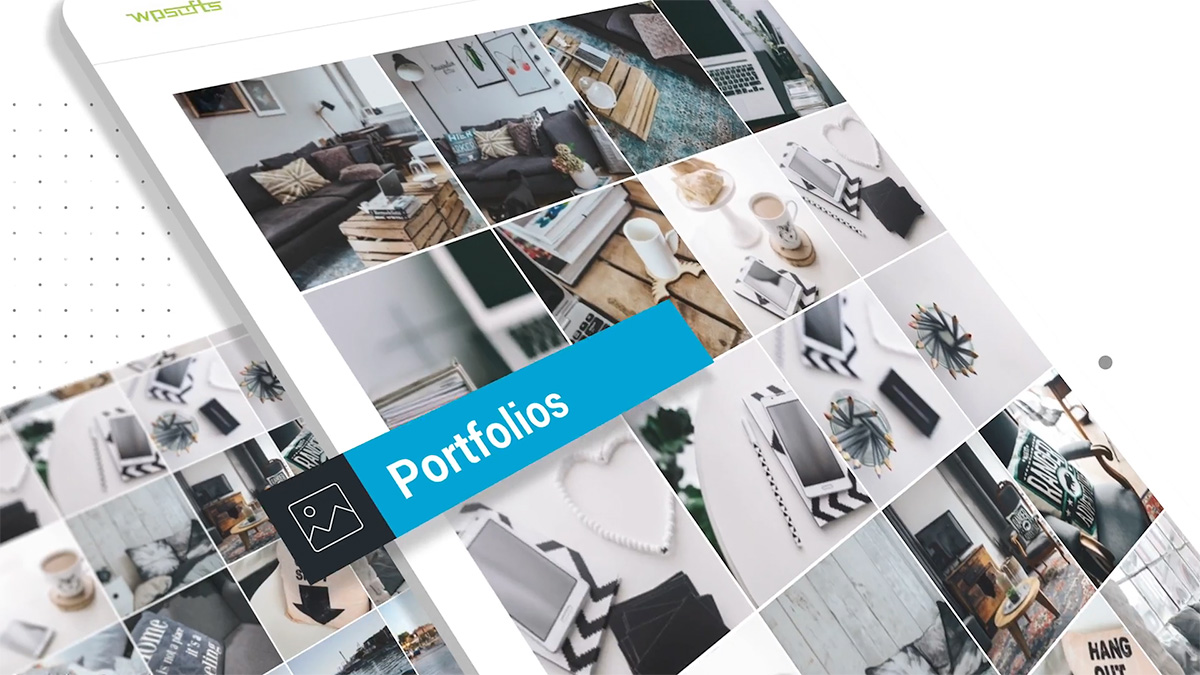
GridKit is another multi-purpose portfolio plugin that lets freelancers across the market have a visually stunning portfolio. Its strength lies in its versatility. It offers several gorgeous layout options combined with over 100 animations and styling options. This will allow you to build not just a visually stunning portfolio but an interactive one to separate you from the pack.
For e-commerce freelancers, Grid Kit Portfolio Gallery can be used to showcase not only their work but also team members and products. This feature is particularly valuable for those who want to integrate an online store into their portfolio website.
The plugin’s responsive design ensures that portfolios adapt seamlessly to different devices, providing an optimal viewing experience for visitors. Additionally, its support for WordPress shortcodes simplifies embedding portfolios on websites.
The only drawback of this plugin is its free version. The non-premium version of the plugin is below average in terms of functionality. Many of the essential features are reserved for the premium version. Thus, if you decide to use this option, you must be prepared to pay the premium fee. Luckily, it’s below the average, so it won’t be such a burden on your budget.
Grid Kit Portfolio Gallery is a valuable tool for freelancers seeking to create visually stunning and interactive portfolios.
Which Portfolio Plugin Is Best for Your Use Case?
Best for Photographers
If your work depends heavily on image presentation, proofing, and gallery management, NextGEN Gallery and Visual Portfolio are the strongest options in this list. NextGEN Gallery is particularly useful if you want a portfolio that can also support image sales or client proofing. Visual Portfolio is a better fit if you want a modern, polished visual layout with less emphasis on ecommerce.
Best for Designers and Agencies
WP Portfolio and Go Portfolio are strong choices for designers, agencies, and freelancers who want portfolios that look polished and professional right away. WP Portfolio is better for users who want a quick setup with templates, while Go Portfolio is better for those who care most about visual style and customization.
Best Budget-Friendly Option
If keeping costs low is your top priority, NextGEN Gallery, Visual Portfolio, and Envira Gallery are the best starting points because they offer free versions. Among them, Envira Gallery is the easiest for beginners, while NextGEN Gallery offers the most depth if you need more advanced functionality later.
Best for Selling Work Online
NextGEN Gallery stands out if you want to turn your portfolio into something closer to a storefront. Its premium features include image proofing, payment options, and gallery extensions, making it suitable for photographers and other creators selling visual work. Envira Gallery is also worth considering because of its WooCommerce support.
Best for Beginners
Envira Gallery and WP Portfolio are the best picks for beginners. Envira Gallery is especially easy to use thanks to its drag-and-drop interface, while WP Portfolio is ideal if you want ready-made templates and a simple path to quickly launching a professional-looking portfolio.
Make Your Decision Wisely
Before you choose your portfolio plugin, do your research. Have a clear vision of what you need, and don’t hesitate to try out several free versions before paying for a premium one. Regardless of your choice, however, you will need a premium hosting service. HostArmada is just that. We are one of the best hosting providers on the market. We pride ourselves on our lightning-fast load speed, tight security, and unquestionable reliability. So, take a look at our plans, and if you need any help with selecting the right one, contact our team. We will happily assist you. Before you get to choose your plugin, your success depends on selecting the right hosting provider.
FAQs
If you need a free option, NextGEN Gallery, Visual Portfolio, and Envira Gallery are the strongest choices in this article. The best one depends on your goals: NextGEN Gallery is ideal for image-heavy portfolios, Visual Portfolio is great for polished visual presentation, and Envira Gallery is the easiest for beginners.
Yes. Most WordPress portfolio plugins are designed for users without coding knowledge. Many of them include drag-and-drop builders, templates, shortcode support, or block editor integration, which makes it possible to build a professional portfolio without touching code.
NextGEN Gallery is one of the best choices for photographers because it focuses heavily on galleries, bulk uploads, proofing, and image presentation. Visual Portfolio is also a strong option if you want a more modern portfolio layout with strong visual appeal.
Yes, they can. Portfolio plugins that use large images, animations, filters, or advanced gallery features may slow down a site if they are not optimized properly. It is important to choose a plugin that balances features with performance and to support it with optimized images, caching, and reliable hosting.
