

Development / Friday March 6, 2026
How to Choose a Scripting Language for Your Next Project

Choosing a scripting language rarely feels like a high-stakes decision at the start. Most scripts begin small, under light pressure, and with generous assumptions about how long they will live. In that phase, preference and familiarity feel like sensible guides. The problem is that this calm rarely lasts. The consequences of the choice tend to surface later, when a script runs unattended, absorbs responsibility, or becomes part of a workflow that cannot afford surprises.
What determines success is not how elegant the code looks or how quickly it was written. It is how the script behaves over time. Failure visibility, predictability, and the cost of changing direction matter far more than early productivity. A language that feels efficient on day one can quietly turn into friction months later, even if nothing obviously breaks.
This is why choosing well means thinking past the editor. Scripts that run often, interact with other systems, or grow beyond their original scope expose weaknesses that convenience hides early on. When the shape and long-term behavior of a project guide the decision, the choice becomes clearer and far easier to live with.
Before You Start Choosing
Most people start right from the choosing scanning language part. That feels logical, but it skips the work that actually makes it easier to choose scripting language with confidence. Before you compare tools or ecosystems, you need to understand the job you are asking the script to do. Without that clarity, even a well-intentioned choice can create friction later.
This step is about constraints, not preferences. How you choose scripting language options should depend on how often the script runs, where it lives, and how visible its behavior must be. A quick utility script and a scheduled task that runs every hour face very different pressures, even if they look similar at first glance. Surfacing those pressures early saves time and rework.

Here are the questions worth answering before you choose scripting language candidates:
- How often will the script run? A one-off task tolerates risk that a recurring job cannot.
- Where will it run? Local machines, CI pipelines, and production servers impose different limits.
- What does failure look like? Decide whether a silent failure is acceptable or dangerous.
- How many dependencies does it touch? More external systems mean more waiting and more things that can break.
- Who owns it six months from now? Ownership shapes how much structure and clarity you need from day one.
Once you answer these, the decision stops feeling abstract. You move from guessing to evaluating, because you now have real constraints to measure against. That shift is what makes it possible to choose scripting language options deliberately, instead of defaulting to habit or convenience. From there, looking at project shape and runtime behavior becomes far more grounded.
How Your Project’s Shape Dictates the Right Choice
Scripts do not fail because they are too small. They fail because they quietly change shape. What starts as a simple task gains new paths, new triggers, and new expectations. If you only judge a project by size, you miss the forces that actually stress it over time.
Project shape describes how a script behaves once it runs in the real world. It captures how often it executes, how many things it touches, and how many directions it can go when something changes. Two scripts with similar length can feel completely different to maintain because their shapes pull them in different directions. Recognizing those dimensions early makes choosing a scripting approach far less guessy.

Execution Frequency Changes Everything
A script that runs once behaves very differently from one that runs every hour. Frequency magnifies every small decision. Logging that feels excessive in a one-off task becomes essential in a recurring job. Minor delays add up. Tiny failure rates turn into regular interruptions. When execution frequency increases, predictability matters more than speed. This shift changes what you expect from a scripting solution and how much visibility and control you need from day one.
Dependency Fan-Out Multiplies Risk
Scripts rarely work in isolation for long. They start pulling data from files, APIs, services, or databases. Each new dependency introduces waiting, uncertainty, and failure modes you do not control. A script that depends on one external system behaves differently from one that coordinates five. As fan-out grows, clarity and error handling become central concerns. Shape changes here often catch people off guard because the script itself stays small while the surface area around it expands.
Branching Logic Shapes Maintainability
Conditional paths feel harmless at first. One if statement solves a real problem. Then another follows. Over time, the script becomes a map of special cases. Branching logic changes the mental load required to understand what the script will do in a given situation. The more paths it can take, the harder it becomes to reason about outcomes. This dimension of shape influences how readable and adaptable a script remains as requirements shift.
State Turns Scripts Into Systems
State is a turning point. As soon as a script needs to remember something between runs, it stops behaving like a disposable tool. Files, caches, or stored values introduce continuity and responsibility. Mistakes no longer reset automatically. Recovery becomes a concern. This change in shape often arrives quietly, but it carries long-term implications. Scripts that manage state demand more discipline and clearer structure than those that do not.
Ownership Defines Longevity
Who touches the script matters as much as what it does. A script owned by one person can rely on shared context and unwritten assumptions. A script touched by many people cannot. Ownership shape affects naming, structure, and how explicit behavior needs to be. When responsibility spreads, clarity stops being a nicety and becomes a requirement. Ignoring this dimension leads to scripts that technically work but resist collaboration.
Understanding project shape helps you see pressure before it builds. Once you recognize these dimensions, it becomes easier to anticipate how a script will behave over time. That sets the stage for the next question: how runtime behavior, not syntax, determines whether a choice will hold up in practice.
Why Runtime Behavior Matters More Than Syntax
Syntax is the part of a scripting language you notice first. It affects how quickly you can write code and how comfortable that process feels. Runtime behavior shows up later, when the script runs without you watching. That gap between writing and running is where most scripting decisions are truly tested.
What matters in practice is how a script behaves once it leaves the editor.Does it:
- block when something slows down?
- retry endlessly or fail immediately?
- surface problems clearly?
- continue quietly while producing the wrong result?
These behaviors shape trust far more than how readable the code looked on day one.
The difference becomes obvious over time. Syntax influences development speed once. Runtime behavior repeats itself every time the script runs. A small delay, a vague error, or an unclear retry pattern might feel harmless during development. When that same behavior happens hundreds of times in production, it turns into operational friction that is hard to ignore.

This is also where performance gets misunderstood. In scripting, speed rarely defines success. Predictability does. A script that finishes reliably and fails loudly is easier to work with than one that runs fast but behaves inconsistently under real conditions. That distinction sits at the core of how people experience scripting performance in real workflows, far removed from benchmarks or isolated tests.
Once you evaluate scripting choices through runtime behavior, priorities shift. You stop optimizing for what feels nice to write and start choosing based on how problems appear, how failures surface, and how much effort it takes to regain control. That perspective naturally leads to the next question: how much the surrounding ecosystem helps or hinders you when those moments arrive.
How Scripting Ecosystems Shape What’s Possible
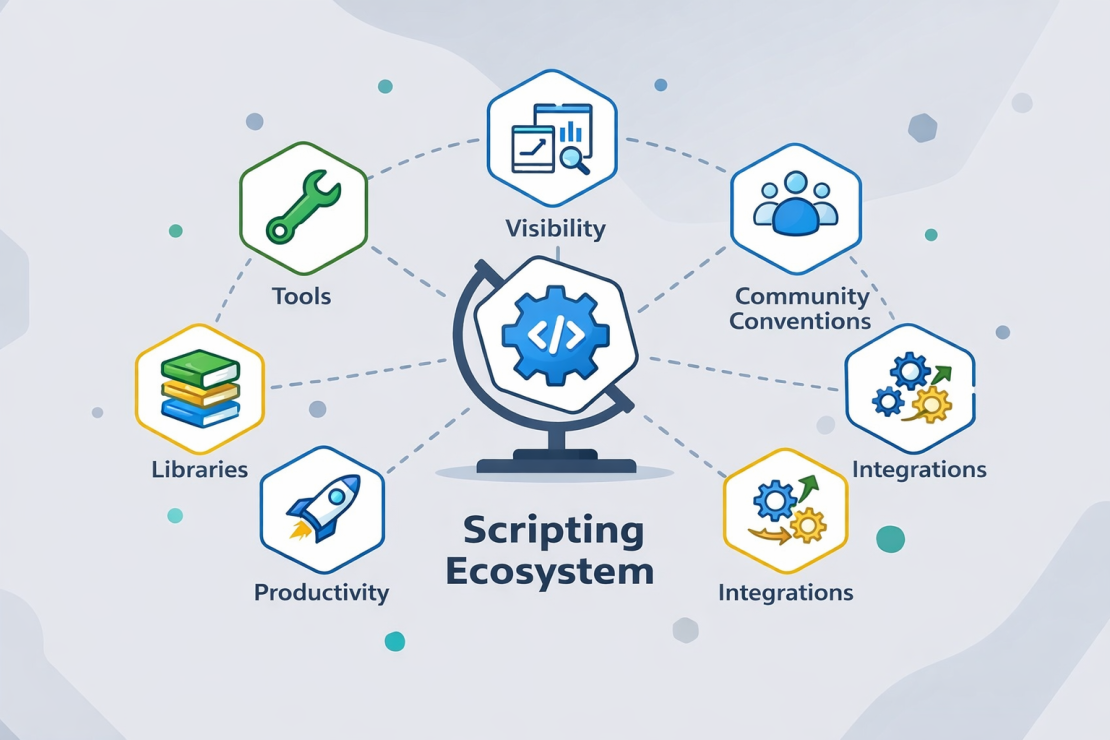
Choosing a scripting language is a bit like choosing a workspace. The desk and chair matter, but so do the tools within reach, the lighting, and how easy it is to find what you need when something breaks. In scripting, the ecosystem plays that supporting role. It quietly shapes how productive, resilient, and adaptable your scripts can be over time.
When you choose scripting language options, you are also choosing everything that surrounds them. Tooling, libraries, and shared conventions decide how much effort it takes to connect systems, inspect failures, and adjust behavior as requirements change. A strong ecosystem absorbs complexity for you. A weak one pushes that complexity into your scripts, where it accumulates silently.
Tooling Determines Visibility
When something goes wrong, visibility matters more than elegance. Tooling defines how easily you can see what a script is doing while it runs. Good logging, debugging support, and inspection tools turn failures into signals you can act on. Poor tooling hides problems behind vague messages or silent exits. Over time, that difference shapes trust. Scripts backed by strong tooling feel manageable even when they misbehave. Scripts without it force you to guess, re-run, and hope you catch the issue before it repeats.
Libraries Shape Integration Effort
Most scripts do not exist in isolation for long. They read files, call APIs, move data, or trigger other processes. Libraries determine how much of that work you can reuse and how much you must build yourself. A healthy library ecosystem reduces boilerplate and encourages consistent patterns. When libraries are missing or outdated, scripts start carrying custom integration logic. That added responsibility increases maintenance cost and makes it harder to choose scripting language paths that scale beyond the initial use case.
Community Conventions Reduce Guesswork
Conventions are the quiet agreements that make scripts easier to read and extend. They influence naming, structure, and how common problems are solved. Strong communities establish expectations that reduce decision fatigue. Weak or fragmented communities leave every choice open, which sounds flexible but often slows progress. When conventions exist, scripts feel familiar even to new contributors. That familiarity becomes critical as ownership changes or collaboration increases.
These ecosystem effects become most obvious in background workflows and recurring jobs, especially in scenarios tied to automation with scripting. In those contexts, gaps in tooling, libraries, or conventions surface quickly. Recognizing this helps you choose scripting language options with a clearer view of what you are actually committing to, not just what the syntax promises.
Common Mistakes When Choosing Scripting Language
These mistakes show up across teams, projects, and experience levels. People rarely make them because they lack skill. They make them because scripting feels forgiving at first, and that forgiveness hides weak assumptions. Spotting these patterns early helps you avoid decisions that feel fine now but create friction later.
Choosing familiarity over fit
Many teams reach for the language they already know, even when the project context pushes in a different direction. Familiarity feels efficient because it reduces learning overhead and accelerates early progress. That comfort can mask mismatches around execution model, error visibility, or integration needs. When the script starts interacting with other systems or running unattended, those mismatches surface quickly. At that point, the language did not fail. The initial choice simply optimized for comfort instead of fit.
Letting scripts grow without boundaries
Scripts often start small and focused, then quietly take on more responsibilities. Someone adds a quick condition, another person tacks on a feature, and soon the script handles tasks it was never designed to manage. Without clear boundaries, structure erodes, and reasoning becomes harder with every change. This growth rarely feels intentional, but it happens because scripting tools make expansion easy. When no one defines where the script should stop, it keeps going until maintenance becomes the real workload.
Ignoring how failure is handled
Failure handling often gets the least attention during selection. People assume they will notice problems when they happen. In practice, scripts fail in ways that do not announce themselves clearly. They hang, retry silently, or exit without context. When that happens, debugging turns reactive and time-consuming. Choosing scripting tools without considering how they surface errors leads to systems that appear stable until they quietly are not.
Recognizing these mistakes does more than prevent frustration. It sharpens how you evaluate trade-offs and prepares you to decide when scripting fits the problem at hand, and when it does not.
When Scripting Is the Right Tool, and When It Isn’t
Scripting shines when expectations stay aligned with its strengths. It struggles when responsibilities quietly shift. The decision point rarely arrives as a dramatic failure. It shows up as mounting friction, growing coordination needs, and workarounds that start to feel permanent. This section helps you spot that boundary early, so you can choose scripting language options with clear intent instead of reacting later.
One practical way to see the boundary is to compare how a script is expected to behave over time. When the expectations on the right start to dominate, scripting stops being a comfortable fit and starts behaving like a small system that wants different guarantees.
| When scripting fits well | When scripting starts to struggle |
| Scope stays narrow and stable | Scope keeps expanding |
| Execution paths remain predictable | Execution paths branch and interact |
| Dependencies are few and controlled | Dependencies multiply and vary |
| State is minimal or disposable | State must persist and stay consistent |
| Failures need to be visible | Failures require coordination and recovery |
| One person or a small group owns it | Multiple teams depend on shared behavior |
This boundary often overlaps with how people talk about scripting vs programming, but the label matters less than the signal. The moment coordination, persistent state, or complex recovery becomes central, the nature of the problem changes. At that point, the question is no longer which syntax feels comfortable, but whether scripting still matches the responsibility you are assigning to it.
Seeing this shift clearly helps you choose scripting language approaches that remain defensible as the project evolves. It also gives you permission to stop stretching scripts past their natural role. With that boundary in mind, you are ready to step back and close the decision loop.
Turning a Good Choice Into a Reliable Outcome
A well-chosen scripting language solves only part of the problem. The real test comes later, when scripts run on schedules, interact with external systems, and operate without supervision. That is where many solid decisions lose their edge, not because the logic is wrong, but because the environment introduces delays, blind spots, or instability that the script was never designed to absorb.
This is where HostArmada becomes part of the equation. A reliable scripting setup depends on predictable execution, strong security, and infrastructure that stays out of the way. HostArmada’s cloud-based hosting, with lightning-fast speeds, top-of-the-line security, and a 99.9% uptime guarantee, provides the conditions scripts need to behave consistently once they move beyond development.
When you choose scripting language options with long-term behavior in mind, pairing that decision with the right hosting environment is what turns intent into outcome. If you want a platform built to run scripts reliably in real workflows. If you want your scripting decisions to hold up long term, take a look at HostArmada’s hosting plans and choose the option that best fits your needs. The right environment gives your scripts room to stay efficient, reliable, and predictable, even as their role grows.
