

WordPress / Friday February 6, 2026
Brizy Page Builder: Is It a Good Fit for Your WordPress Website?

Choosing the right page builder is an important decision for any WordPress website. It affects how easily you can design pages, manage content, and maintain performance over time.
Brizy is a visual drag-and-drop page builder for WordPress designed for users who want a simple, intuitive way to create modern layouts without writing code. When paired with a HostArmada-powered hosting environment, it offers a streamlined setup for building and managing websites efficiently.
In this article, we examine whether Brizy is a good fit for HostArmada-powered WordPress websites, covering usability, performance, and use cases to help you decide whether it aligns with your website goals.
What Is Brizy?
Brizy is one of the newest additions to the plethora of WordPress website builders. Launched in April 2018 by ThemeFuse, this outstanding tool quickly became a fan favorite. Today, more than 80,000 people from various industries and niches use it to meet their page-building needs.
One only needs to look at third-party review websites to see why this page builder is a user favorite and why so many people start their online journey with it. Brizy is compatible with all WordPress themes, offering immense flexibility for users regardless of their website design needs.
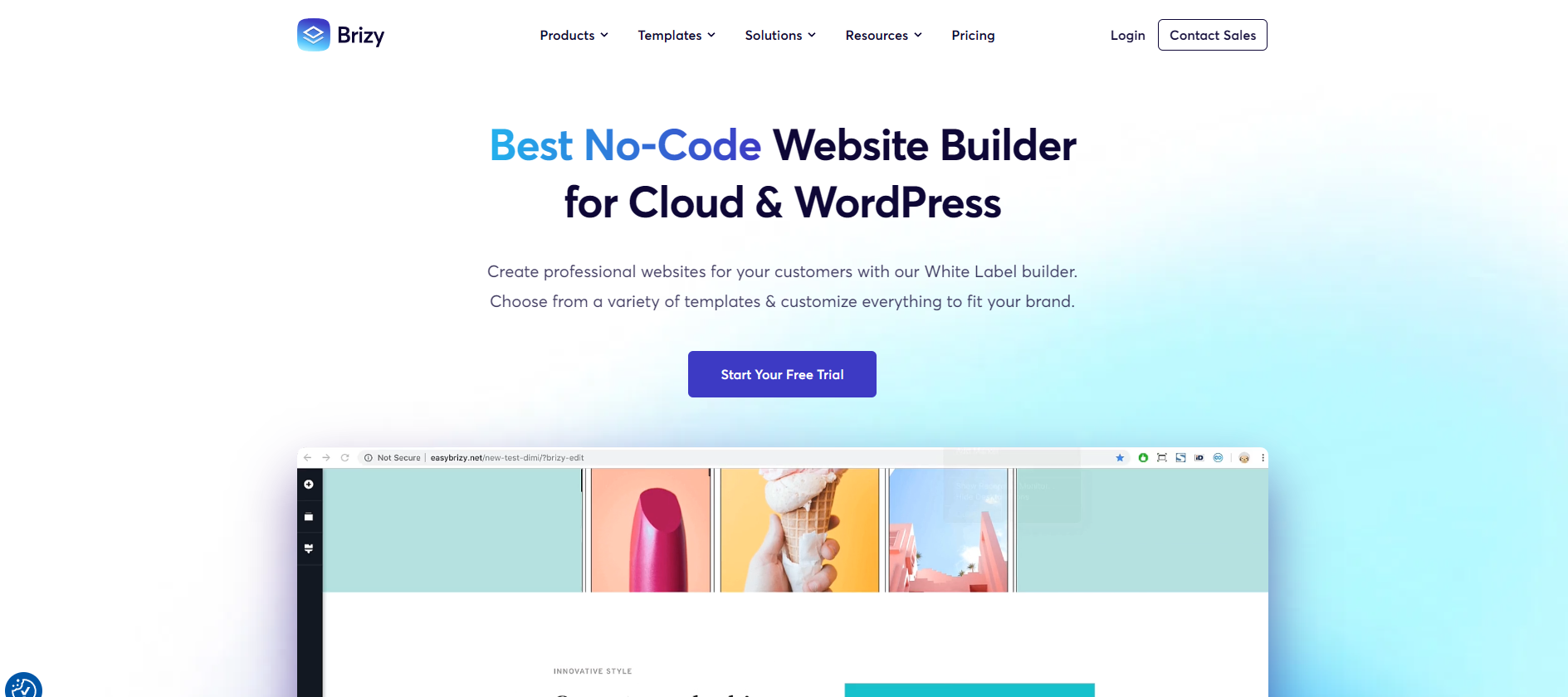
Thanks to its unique interface and editing approach, Brizy has become a gateway solution for new website owners with little to no web development experience. In this regard, it surpasses its much bigger competitors, such as Divi, Elementor, and others.
Brizy Review: Key Features at a Glance
The moment you install Brizy, you will see what the fuss is all about. The page builder is fast and easy to use, making it the perfect tool for quick, pain-free landing pages and even entire website creation. In other words, if you are a small business owner who needs to create landing pages regularly but has no coding or web development knowledge, Brizy is the solution you’ve been searching for.
There are several highlights we need to mention before we get to the specifics:
Easy to Use for Beginners
Most page builders try to diversify their target users by adding features that developers can use exclusively to make their work easier. That’s quite all right, but unfortunately, this often complicates the user interface for the primary target: those with no web developer skills.
Brizy doesn’t do this. They stick to their primary target audience: people trying to build their first website or landing page. Those who are experts in other fields but need to develop a cost-efficient website and/or landing page. Thus, Brizy’s user interface is precisely designed to satisfy their needs.
That’s where the new and quite useful AI website builder comes along, but more on it later.
Drag-And-Drop Builder
That’s not something new for website builders. Still, Brizy has done its best to make the entire experience as straightforward as possible. True, they can’t compete with the bigger builders when it comes to customization options, but on the other hand, even toddlers can build a website with their drag-and-drop builder. Yes, it’s that easy. Customization is seamless, and you don’t have to go through 15 layers to know precisely where you are. There are no sidebars or pop-ups. You edit your creation directly on the screen. This gives you an instant view of your creation. Compared to Elementor, you don’t have to adjust every column 20 times to get it perfect.
Clean and Intuitive Interface
Brizy is extremely intuitive. It takes less than 20 minutes to learn how to use it, and there are no overly complicated features that require special skills to create or adjust. Even without the tutorial you receive right after installing Brizy, you’ll be able to get around just fine. But what we loved about the interface was its clean design. No pop-ups, no sidebars on both sides. A clean, straightforward editor lets you change almost any part of your website. Of course, there are some limitations, but as we already discussed, the builder is focused on helping those with little knowledge of web development. So they will hardly go on and try to change the class or div of a particular section, although that’s also possible.
Templates and Pre-Built Blocks
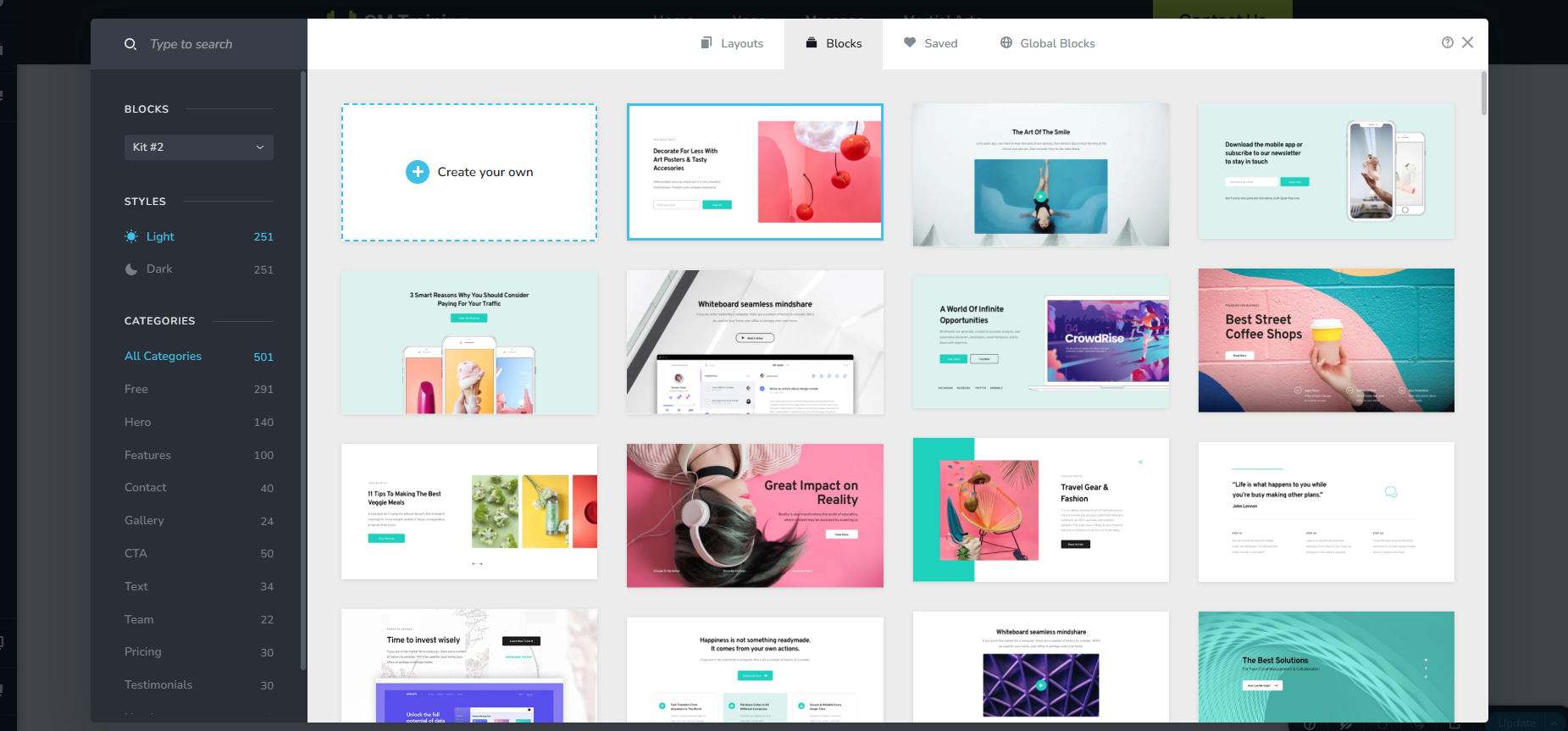
There are over 200 templates currently available on Brizy and more than 500 pre-made blocks. These are enough resources to build not just one but many unique websites across any industry or niche.
Customer Support and Documentation
If this is your first website, you will have questions. A lot of them. Mostly about the builder and how to use it properly. Whenever you encounter a problem with Brizy, their support team is ready to help you resolve it promptly. You don’t have to wait a week or a month. They fix the problem as fast as they can and are always there to help. Sure, this is the industry standard nowadays, but it’s not often you get genuine experts to help you instead of people reading a script. Or at least that’s how it feels.
How To Build Your First Website With Brizy
Building your first business website can take less than 20 minutes if you don’t have a particular design in mind. The only aspects that will take you a bit more time are the copy, images, videos, and other content, but hey, we are talking about the design here.
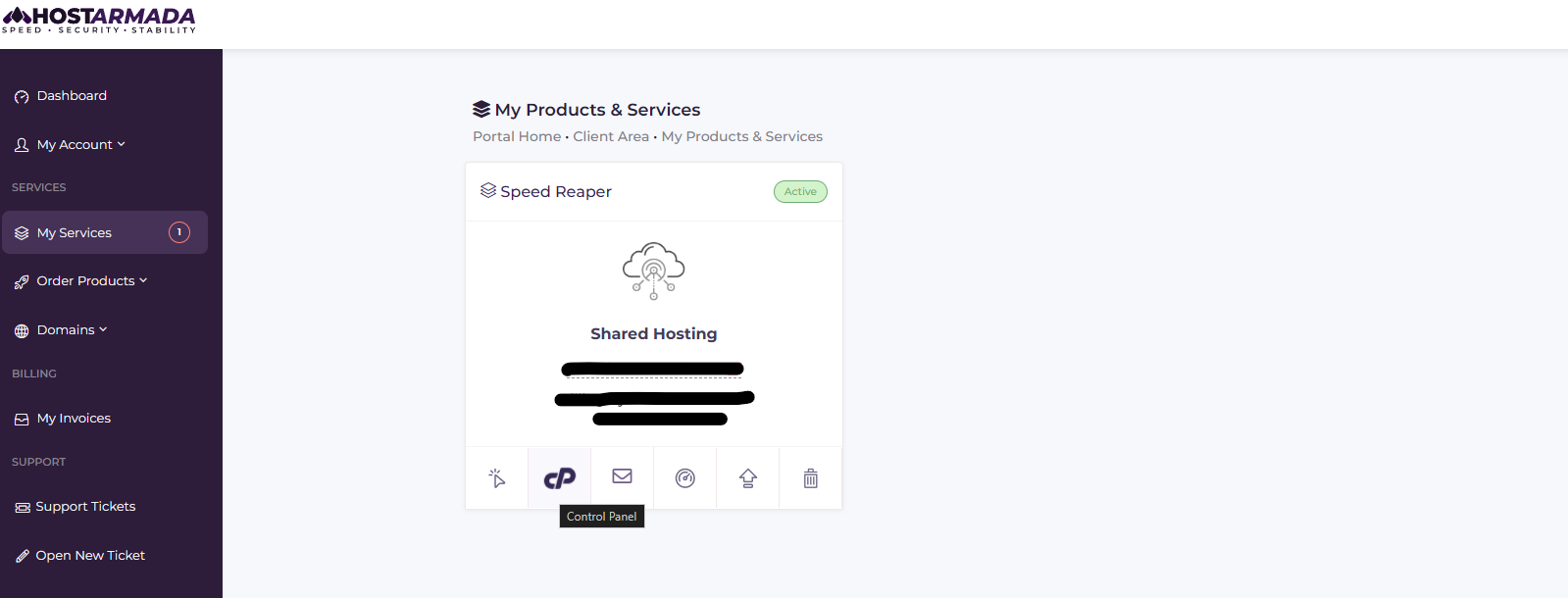
1. First, log in to your HostArmada account and go to cPanel.
2. Once there, scroll down until you get to the software section. There, you will find “WordPress Manager by Softaculous.”
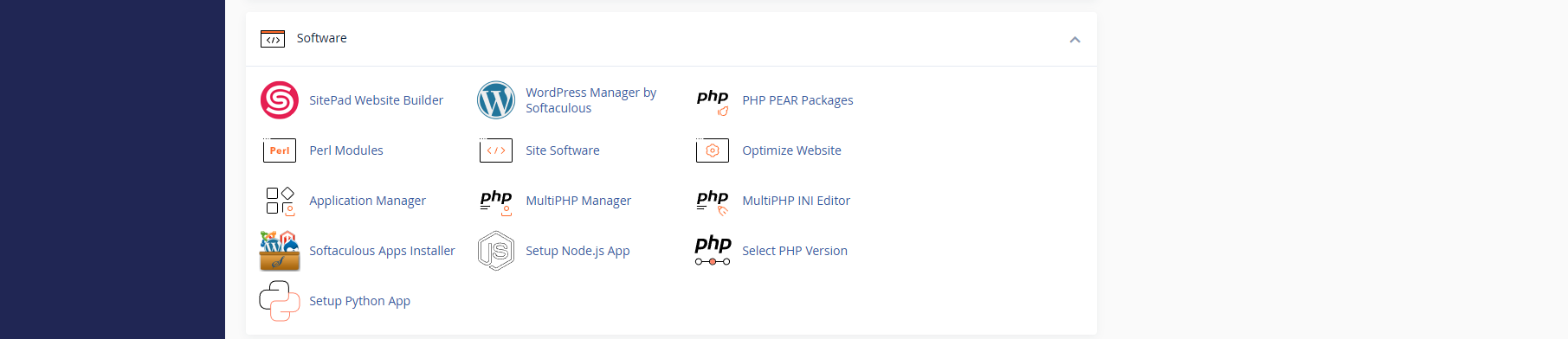
3. Click on it and install WordPress.
4. Next, go to the Brizy website and log in to your account.
5. You will enter the dashboard to find your WordPress Plugins ready to download. Download them to your computer in a folder you can remember. Note that if you have the pro version, you will have two separate files to download.

The entire process is genuinely straightforward and effortless. After you’re done, go to your website.
6. Once you enter your website’s administration panel, go to the plugin section. Click on Add New Plugin from the menu and Upload Plugin at the top of the screen.
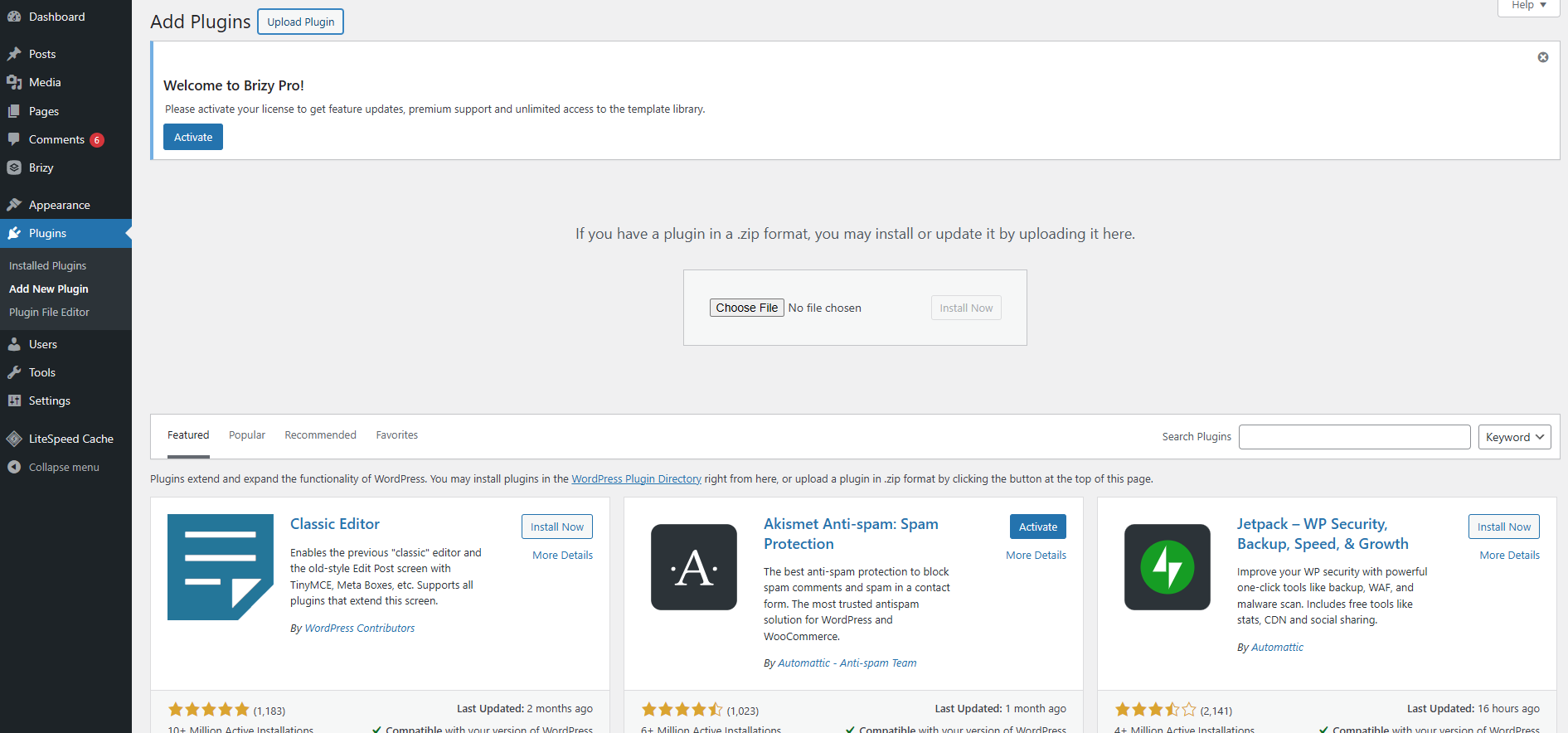
7. From there, you can simply drag the zip file into the box or choose it from the “Choose File” button. Either way, make sure to install the free version first and then the pro version.
8. Note that you need to enter the License Key to activate the premium version. You can do that by following the pop-up at the top of the screen or going to the new Brizy section that will appear in the sidebar. There, click on “Settings”–>License.
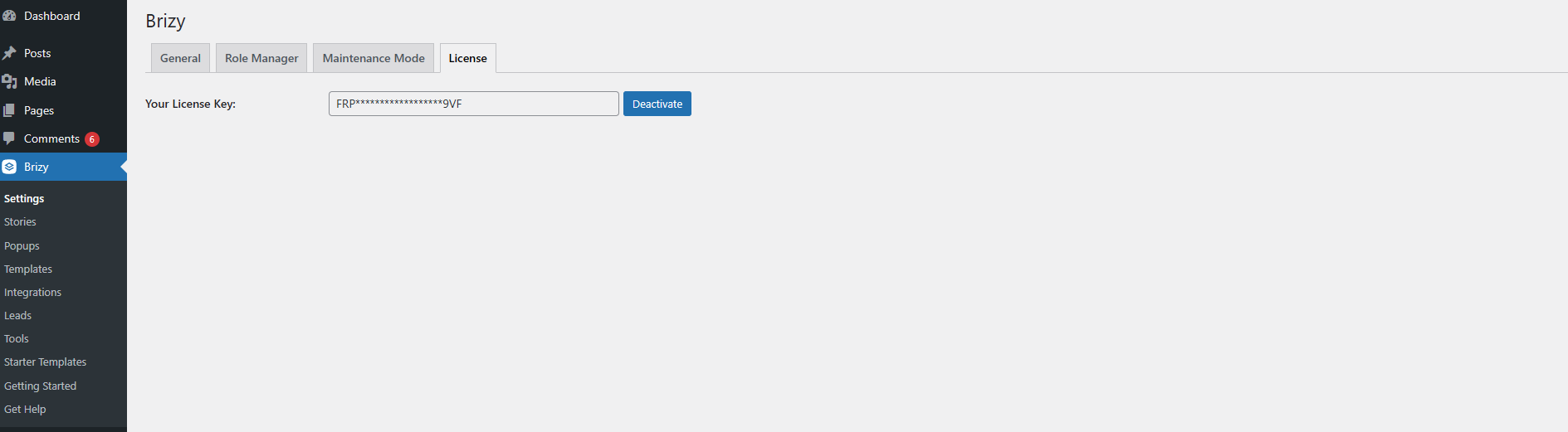
9. Paste your key and click on Activate.
Starting Your Website
It’s time to build your website. Go to the Brizy section in your sidebar, choose “Starter Templates,” and select the one that best fits your needs.
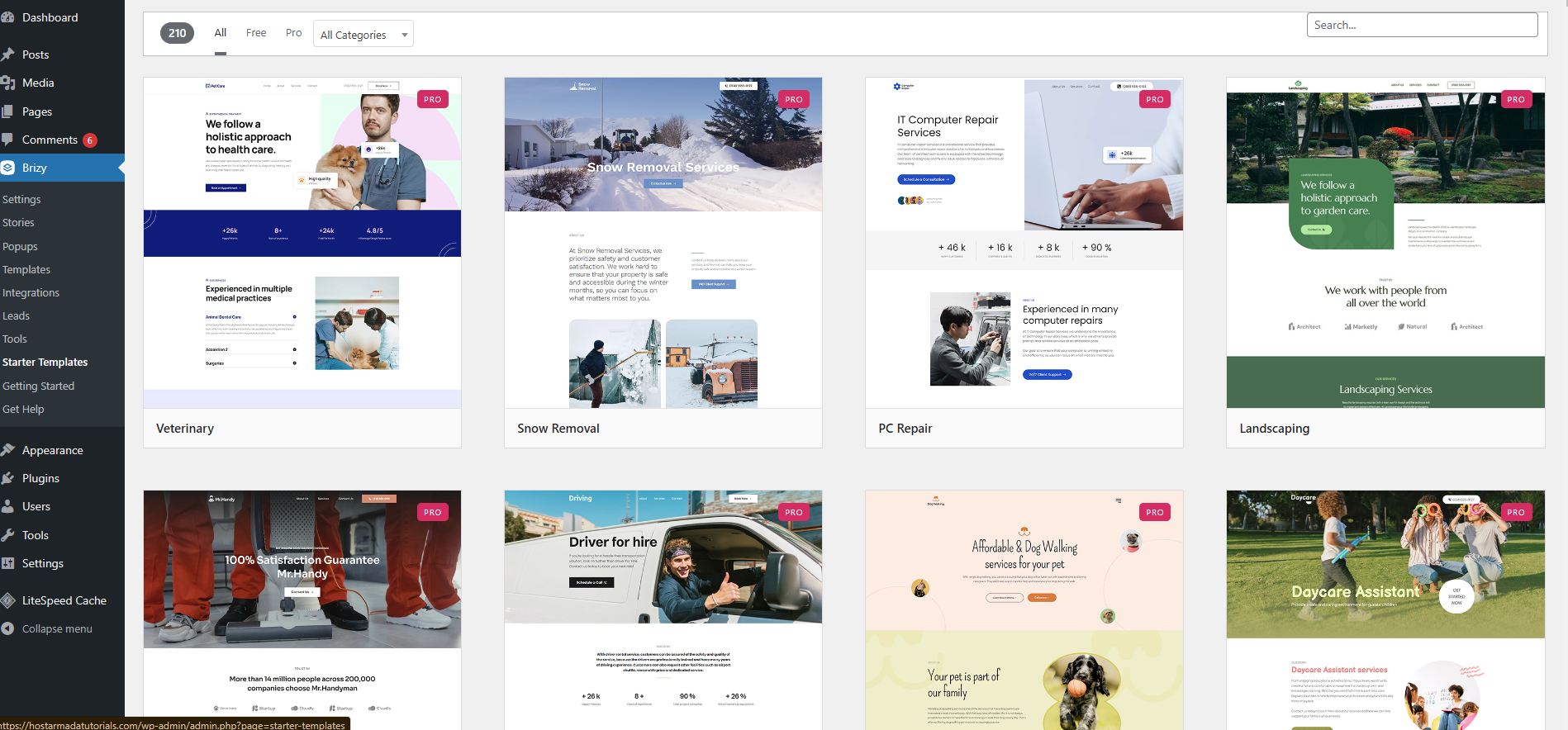
It may take up to 5 minutes to install, but it usually takes no more than a minute.
That’s it!
Creating and Editing Content
You still need to edit the content and adjust the design based on its length.
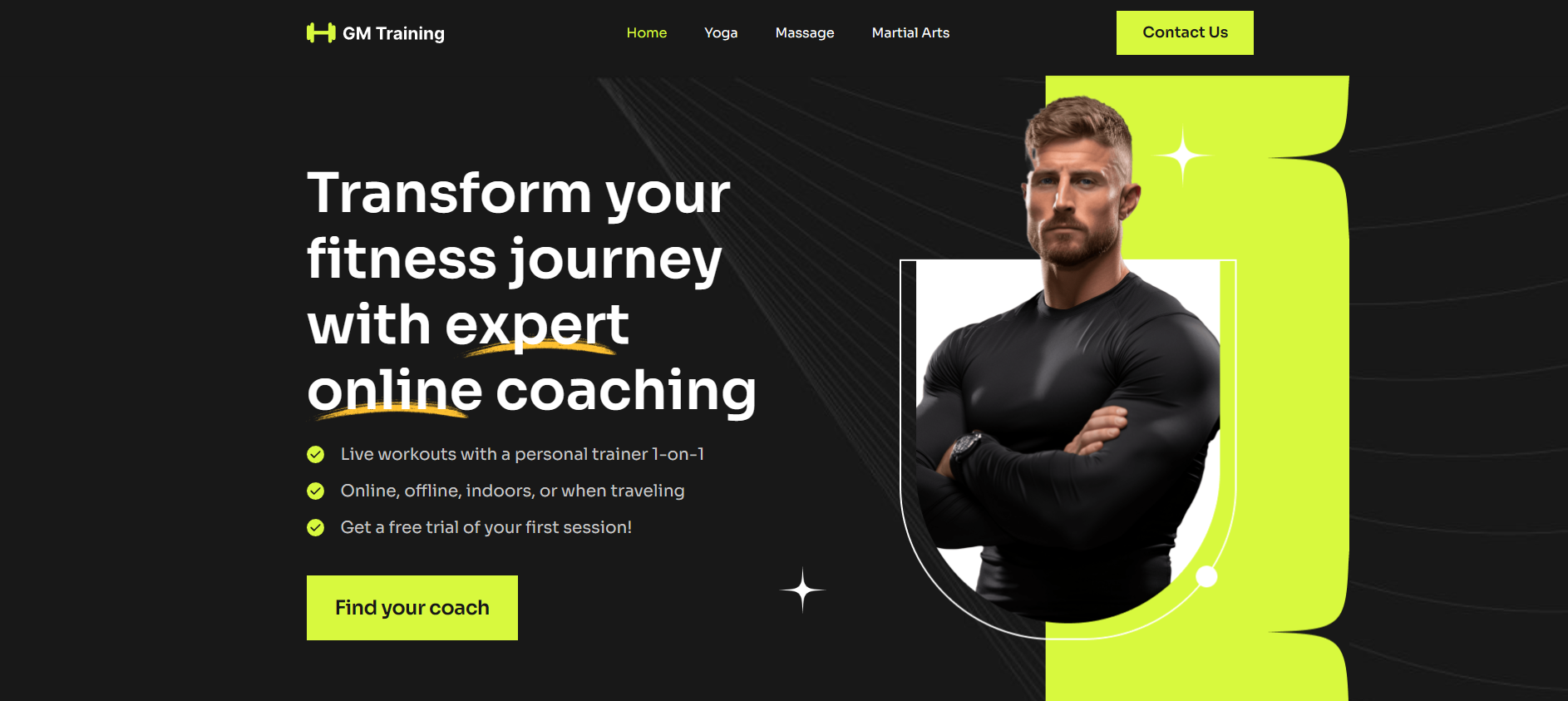
The outline is ready, but you still have a lot of work before you can call this website your own. Still, changing everything with Brizy is a breeze, so take full advantage of the builder’s capabilities.
Brizy utilizes AI to help you write your content. However, Brizy’s AI works best as a starting point rather than a final solution, and most sites will still need manual editing for SEO, tone, and originality.
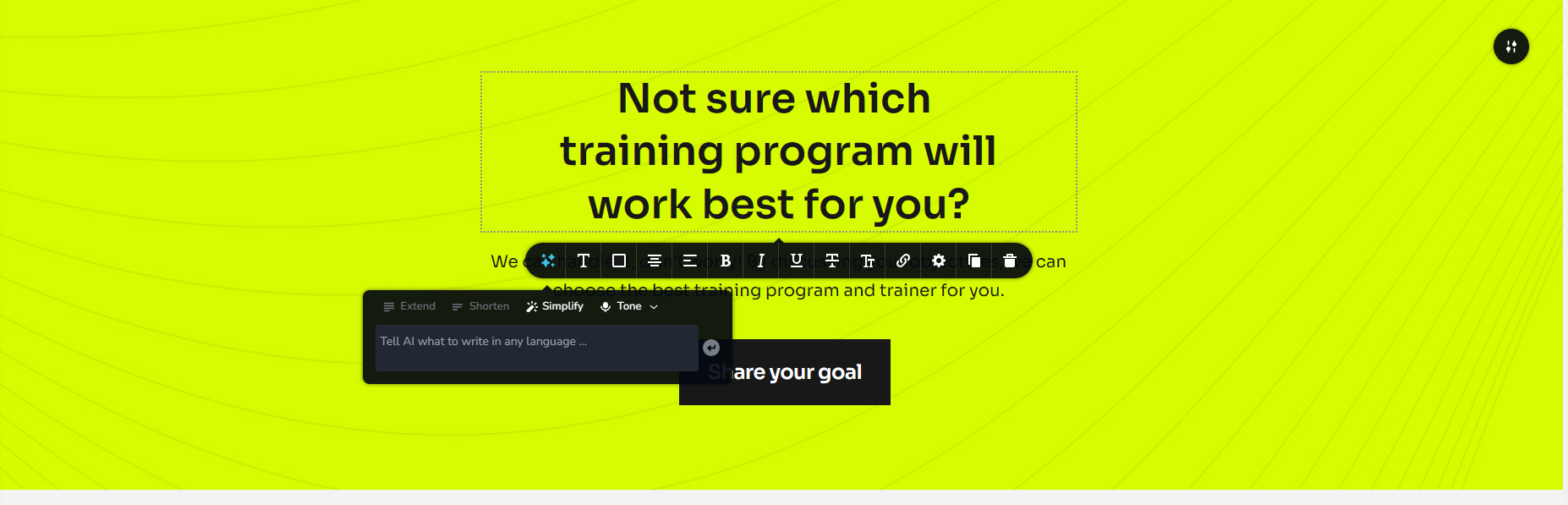
You need to write very specific instructions, and even then, the result won’t be optimal. Still, if you are pushing to get your website going on the same day, this can be a solution.
Building New Pages
Brizy also allows you to create standalone pages by adding ready-made blocks or creating your own using the various elements provided by the creators. The process is similar to building your website: create the page in the WP dashboard, then edit it in Brizy.
AI Website Builder
One of the best and definitely the most fun features of the Plugin is the AI website builder. You can find it on Brizy’s website. There, you will have to enter the name of your business and the industry you are in. It would be quite helpful to add some descriptions about your business and your unique sales proposition so the AI can do its magic. The more descriptive you are, the closer to what you need the end result will be.
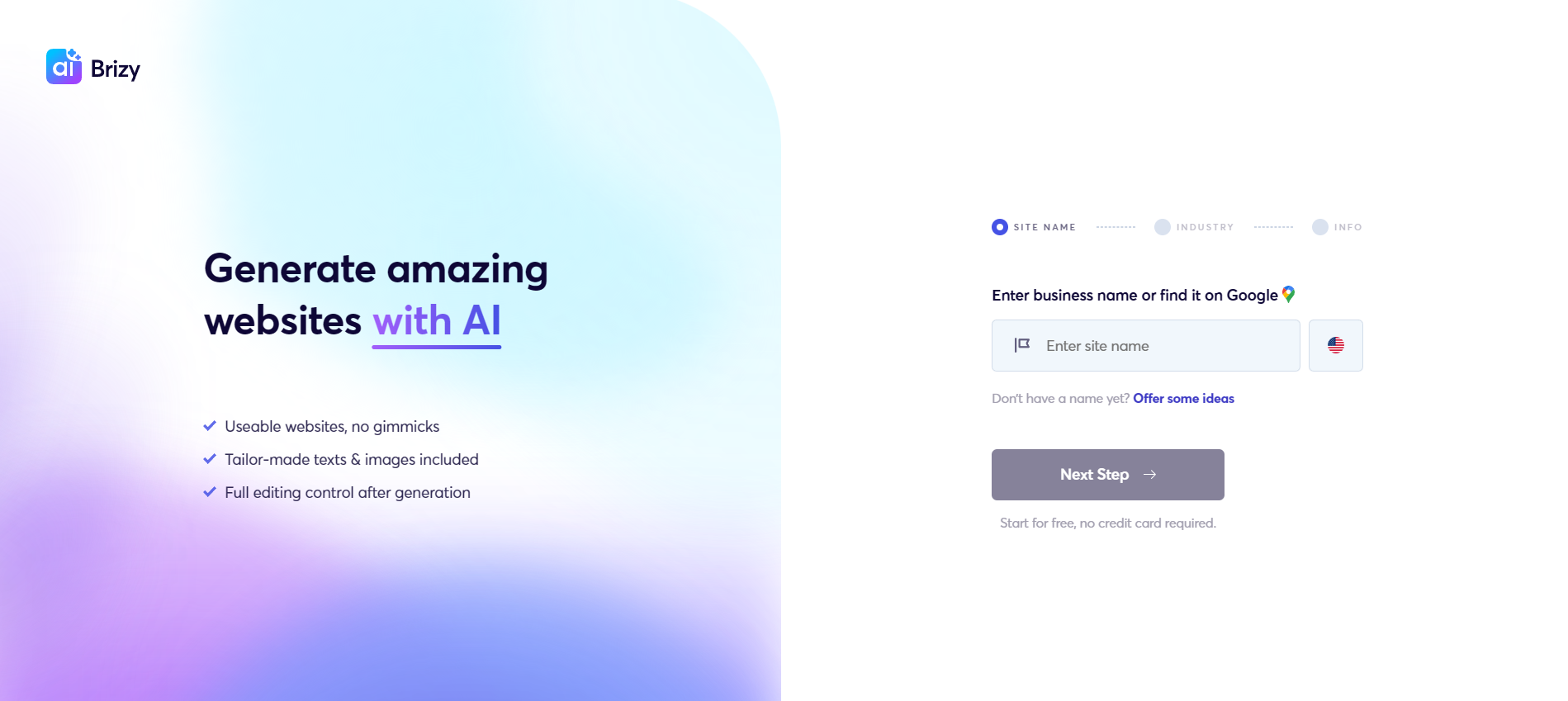
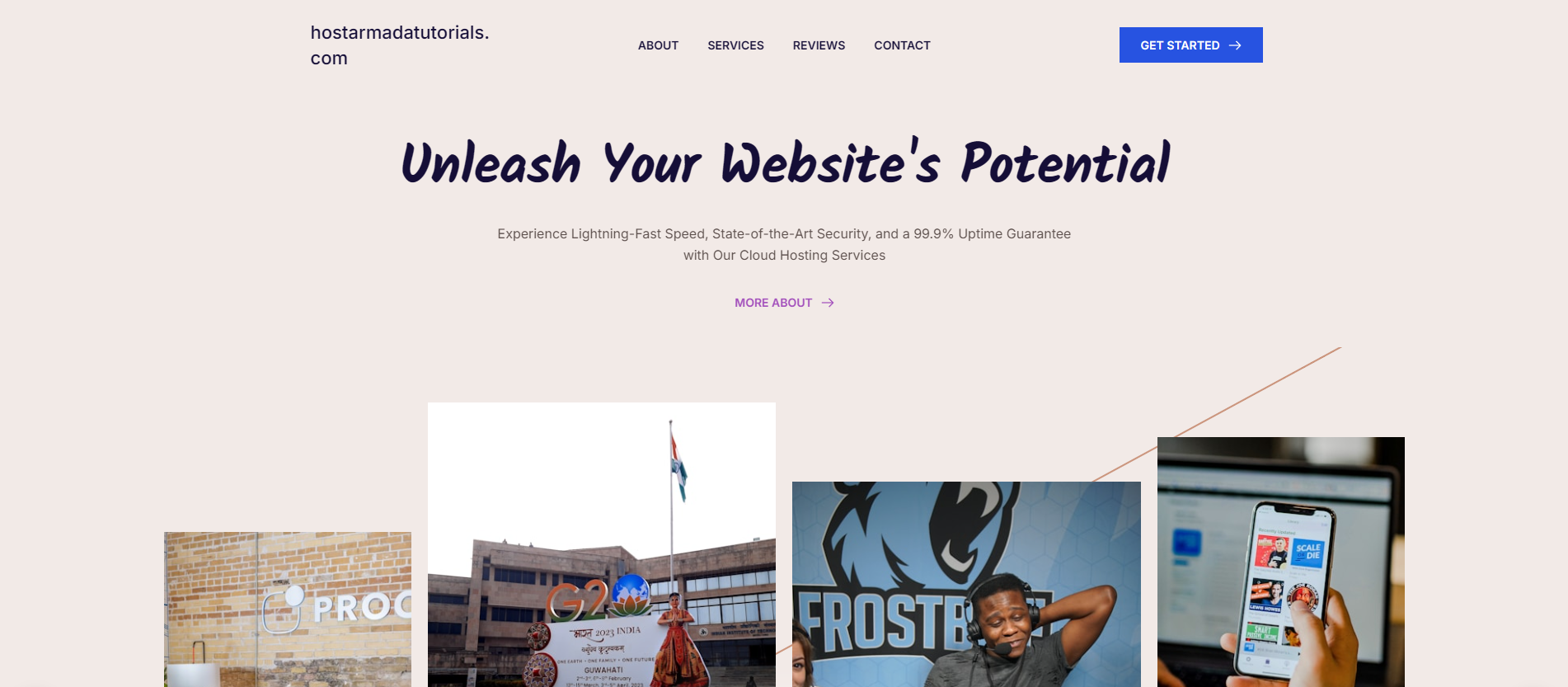
The results are often good enough to get your website started, but remember that AI lacks imagination. So, it’s best to use the result only as a starting point to create your unique website that represents your brand, not a generic industry website. Moreover, as usual, you will have to update the copy and images, since the AI uses stock images and is not very good at copywriting. So, yes, despite having a unique website outlay, you still have to put in the effort to make it your own.
Who Brizy Is Best Suited For
Brizy is an outstanding fit for complete beginners with little to no experience creating an effective website. In this regard, Brizy is the perfect tool for them, as it offers an easy-to-use interface that requires no coding knowledge. Moreover, with starter templates, beginners don’t need to understand web design or UX; they just need to change the text and images.
Furthermore, Brizy is ideal for freelancers who can easily build well-looking websites for their services, whether one-pagers or multi-pagers. One of Brizy’s specialties is creating stunning portfolios, so any freelancer can benefit from using it.
The main target audience, however, is small business owners. Brizy offers high-end marketing tools, including lead generation forms, countdown timers, and call-to-action buttons. The pop-ups can also be used for sales and promotions. All of this can be done with a few clicks and little to no understanding of coding or website development. Best of all, it takes roughly an hour to create a fully functioning landing page. A genuine goldmine for small business owners.
Who Brizy May Not Be a Good Fit For
While Brizy is an outstanding solution for most, it has limitations. So, naturally, advanced developers and owners who require highly customized websites won’t find it very helpful. As we already discussed, Brizy has doubled down on its main user group, which means there are far fewer customization options. So, if you need a tailored website, Brizy is not the answer.
Do You Need a Premium?
Generally, it is a good idea to get the premium version. It offers outstanding additions, including an AI website builder. The Personal plan is inexpensive and includes a 30-day money-back guarantee.

The free version is also pretty good, but you don’t get access to all pre-made templates, blocks, and some elements. It will suffice if you need a landing page, but for an entire website, the premium version is a must.
Is It a Good Fit for Hostarmada-Powered Websites?
Finally, we have the big question: Is Brizy a good fit for your HostArmada-powered website? The short answer is a resounding “YES.” With our infrastructure, lightning-fast website load speed, top-notch security, and a 99.9% uptime guarantee, Brizy won’t just deliver an outstanding-looking website; it’s also an effective tool for generating leads and closing deals. Moreover, HostArmada’s cloud hosting, combined with Brizy’s impeccable website designs, is the perfect recipe for an outstanding SEO score, leading to even more traffic and sales.
So, check out our plans, choose the one that suits you best, and then go straight to Brizy to get your website up and running today.
FAQs.
Brizy is a visual, drag-and-drop page builder for WordPress that lets users design pages without coding. It works with most WordPress themes and hosting providers, including HostArmada-powered websites.
Yes, Brizy is designed for beginners. Its clean interface, inline editing, and pre-designed blocks make it easy to build pages without prior design or technical experience.
Brizy is generally lighter than some page builders, but performance depends on page complexity, hosting quality, and optimization. Using a reliable hosting environment and limiting heavy elements helps maintain fast load times.
Users may consider alternatives if they need advanced dynamic content, complex integrations, or highly customized layouts. In such cases, more feature-rich page builders may be a better fit.
