

WordPress / Sunday May 17, 2026
WordPress 6.1 Features, Improvements & Performance Updates

WordPress 6.1 introduced major improvements to the block editor, template customization, typography scaling, and website performance, making it one of the most impactful WordPress updates in recent years. Released in November 2022, the update focused heavily on improving full-site editing, streamlining the content creation experience, and giving both developers and website owners more flexibility. Features such as Fluid Typography, improved template editing, native WebP image support, and enhanced block customization helped modernize how WordPress websites are built and managed.
In this article, we’ll explore the most important WordPress 6.1 features, how they improved usability and performance, and why the update still matters for WordPress users today.
Template editor

WordPress was always the best choice for people with little to no knowledge of HTML, CSS, and JS coding. However, with v.6.1, user-friendliness is taken to a whole new level. Website owners are able to visualize and edit almost every structure of their website. One of the biggest perks of the latest update is the new default Theme – Twenty Twenty-Three. The style is strictly minimalist and has full customization capabilities. The best part is that it’s still a block theme, which has proven to be the easiest to manipulate and customize. With several style options in the Site Editor and four fonts, Twenty Twenty-Three is promising to be the best default template yet, comparable to the customization capabilities of other paid templates. It’s the perfect canvas to build a truly eye-catching and unique website.
With WordPress 6.1, this will become even easier with the block inserter, which allows you to quickly and efficiently add template parts to your website. In addition, this will enable you to take a quick glance at several variations of a template part before you choose the final version.
The best part, however, is the seamless navigation through the editor. The well-known “preview” button will now be known as the “view” button and will allow you to check your changes before publishing them in a different tab. In addition, the whole menu on the right-hand side will be much shorter as the status and visibility panels will now be renamed as “Summary”. There you will also find the Permalink and Template options.
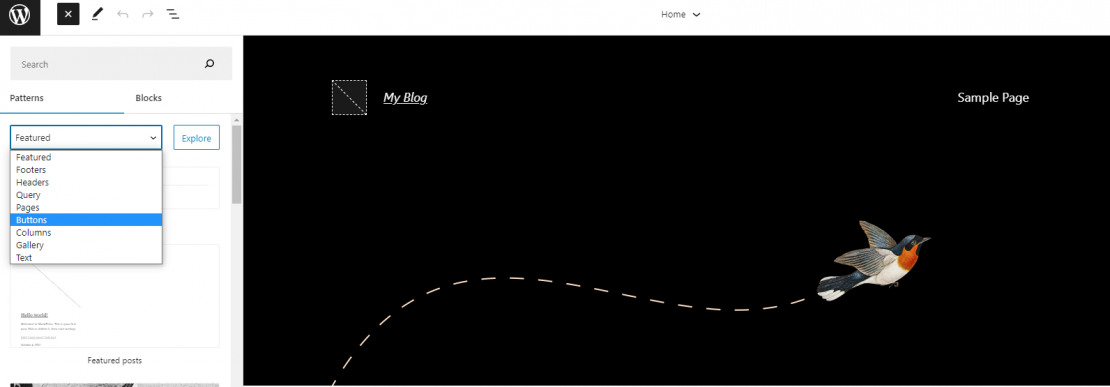
The biggest winner is the editor’s seamless navigation, as it allows you to quickly find different types of elements you can add to your template. For example, if you need a button, all you have to do is go to the Toggle Block Inserter and choose Buttons from the drop-down menu. You will get into a genuinely splendid library of different options, ready to be implemented.
Fluid Typography
To make the new WordPress version even sweeter, you can enjoy one truly smooth scaling between the maximum and minimum width of your characters. This is thanks to the newly implemented Fluid Typography. Until now, WP used media queries, which did a fantastic job of resizing text based on specific values. However, in between these values, there was a small problem. With the new technology, scaling will become smoother and perfectly fit all screen sizes, no matter how big. So, basically, WordPress will automatically calculate every font size to fit perfectly on the screen.
This may not sound like much, but in practice, it’s a huge game-changer for designers and users. It’s the next big step toward making your website even better across different devices.
WebP format is becoming the norm.

WebP is, without a doubt, one of the best formats to add a picture to your website. It provides lossy and lossless compression while at the same time keeping the image size impossibly small. In all honesty, WebP was first introduced with WordPress 5.8, but until now, you needed to optimize your images through third-party plugins. With v.6.1, a WebP version of the image will be automatically created in the Media Library and used by default.
In practice, WordPress will automatically create a second WebP file when someone uploads an image, which it will use on the front end by default. But, of course, if you want to, you can override the default settings and place your JPEG or PNG instead. This way, if you have a highly-visual website and you insist on quality, you can go for a bigger format that offers better quality.
This massive change will significantly reduce file sizes, as the WP developers claim it will be around 30% less.
The bad news is that the beta version of 6.1 has shown some errors in this feature, and while we are confident they will get fixed by the time the update hits the shelves, there is a slight chance this feature will be postponed for a later update.
Improved block editor

One of the best things about this new WordPress installation is the massive improvement of the Block Editor. This is crucial for users who use the platform to create blog posts and pages with the block editor. WordPress 6.1 will follow the footsteps of Gutenberg 13.1 to 14.1 and add a significant amount of options to edit various blocks.
One of the most practical changes is the visualization of margins and paddings. True, it’s a small improvement, but it would help people with little design experience to see exactly how much space is being added or subtracted from each element.
The Info Panel is significantly better designed and easy to read. Now it will also include the “Time to read” information and the number of words, characters, headings, paragraphs, and blocks. Of course, the whole idea behind the “time to read” feature is that it uses a well-known average of 189 words per minute, so you can easily calculate the time of reading yourself. Still, it’s a nice feature that can offer you an insight into how much time one should spend on your article if they read it whole.
Better block types
The block types are where WordPress 6.1 genuinely excels. There are a ton of new features here, so we will go through only a few that caught our eye.
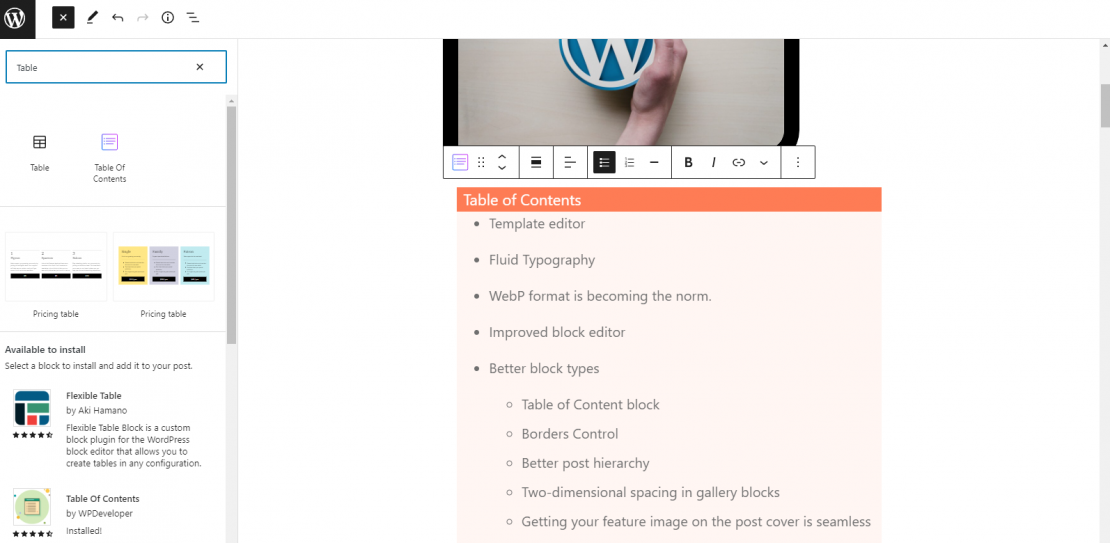
Table of Contents block
This is a feature that will dramatically improve your SEO. The table of contents is instrumental for your SEO efforts if you write professional, long, and exhaustive articles. With this new feature (which was first introduced in Gutenberg 13.3), WordPress 6.1 will automatically create a Table of Contents if you add this block to your blog post. It will take all heading blocks and display them with anchor links at the beginning of the post.
Borders Control
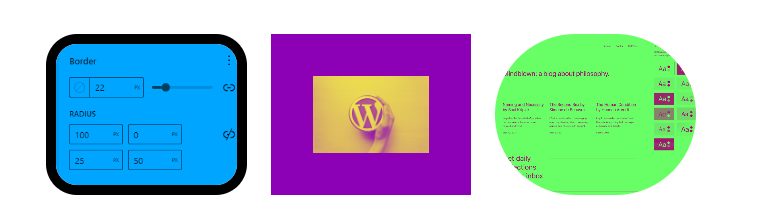
This feature will help you create genuinely stunning visuals for your blogs. You can go above and beyond in calibrating the borders by changing their colors, type, thickness, and corners. This allows the more creative users to let their imagination free and build whatever they want.
Better Post Hierarchy
WordPress 6.1 will also introduce a new Parents filter, making Query block displays easier and more accurate. This feature will allow users to apply a parent filter that determines which other articles are displayed. For example, if you are writing a basketball article for a sports website, adding a query block and setting “NBA” in the parents’ filter field will display only posts with the same parent name.
Two-Dimensional Spacing in Gallery Blocks
With v.6.1, you can now freely set different gaps both vertically and horizontally for images in your gallery. This allows the user to create a unique and aesthetic gallery not predetermined by the platform.
Getting Your Feature Image on the Post Cover Is Seamless
That’s another small but useful addition that makes the author’s job easier. Once you’ve set your feature image, you can easily add it to your cover block with a click of a button. You can still do it the old-fashioned way as well, but simply hitting “Use featured image” will save you time and additional searching for the same image in your files.
Even Easier for Developers
Developers will be one of the biggest winners with the new WordPress 6.1. There are massive improvements just for them, making their work faster and more straightforward.
Adding Consistency to Buttons
A small but very significant change is the ability to add a button template to your theme. This can be done through theme.json. Naturally, this will bring consistency in the visual aspects of the website while simultaneously cutting the developer’s work on each and every button.
To be able to do this, you will have to implement a new “wp-element-button” class into your coding so that all buttons will share the same style. This will even cover third-party blocks, such as contact forms and other plugins.
Query Vars Will Be Supported
WordPress 6.1 will allow your users to search for any type of content based on their parental tag. This will be implemented via query vars, which are supported by WordPress 6.1.
New Elements in the Button’s Global Style
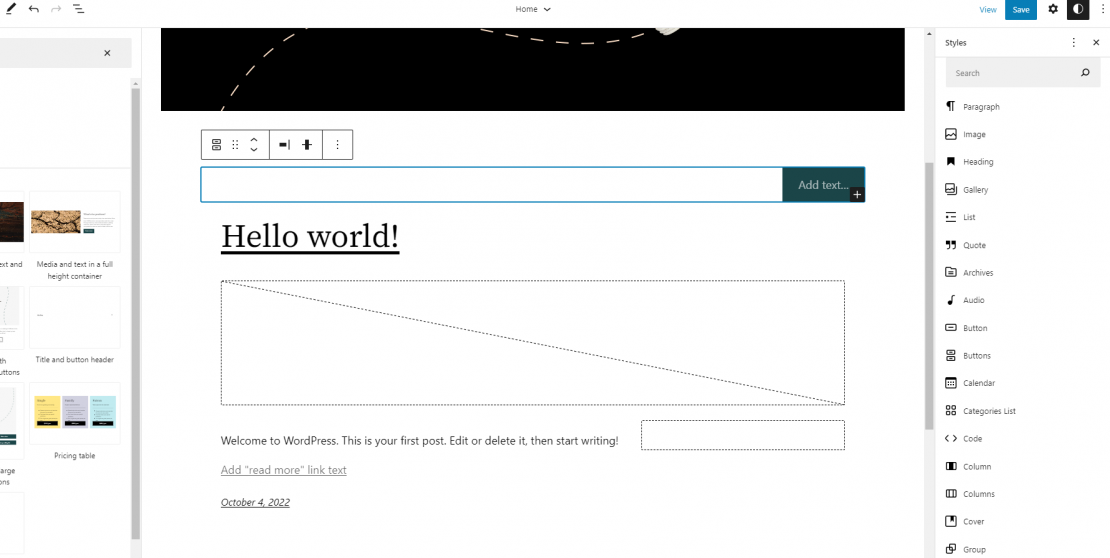
The Global style was first introduced at the start of the year with v.5.9. This allowed users to create custom styles for blocks and elements, which were then implemented throughout the entire website. With v.6.1, some new button customization options will be available. This will help developers maintain consistency and create visually stunning buttons for their projects.
New Preference Persistence API
This is probably the biggest game-changer. WordPress 6.1 will introduce a new preference persistence API, which will secure the editor’s preferences, not in a local storage unit but in the WordPress database. This way, users’ preferences will be the same across all browsers and devices. While, in general, the data will be stored on WordPress’s database, a copy will be done on the local storage as well, as a security measure, if the user abruptly goes offline or if any request is interrupted.
Is WordPress 6.1 Going To Be a Game-Changer?
The most straightforward answer here is that it has the potential. With 500 enhancements, over 250 tickets on the core, and more than 400 bug fixes, the 6.1 version definitely has a lot to offer. Most of its features have minor tweaks, making the user experience slightly better. Still, some major enhancements can truly make the developer’s and the user’s work astonishingly straightforward. Whether these are enough to make the new WordPress version a game-changer, only time will show.
On the other hand, if you are looking for a real game-changer for your website, you needn’t look any further than HostArmada. Our secure, stable, lightning-fast hosting will allow you to take advantage of WordPress 6.1 enhancements fully. Check out our offers, and if you are wondering which one is best for you, don’t hesitate to contact us. We will gladly help you choose the perfect package for your needs.
FAQs
One of the biggest additions was the improved full-site editing experience, allowing users to customize templates, styles, and layouts more easily with the block editor.
Yes. WordPress 6.1 introduced performance-focused improvements such as better block editor efficiency and native WebP image support for faster-loading websites.
Although newer WordPress versions are available, many features introduced in WordPress 6.1 became the foundation for modern WordPress development and site editing.
Indirectly, yes. Faster image handling, improved site structure, cleaner content organization, and better user experience can all contribute to stronger SEO performance.
