You can keep any domain names registered with us even after canceling your hosting service.
-
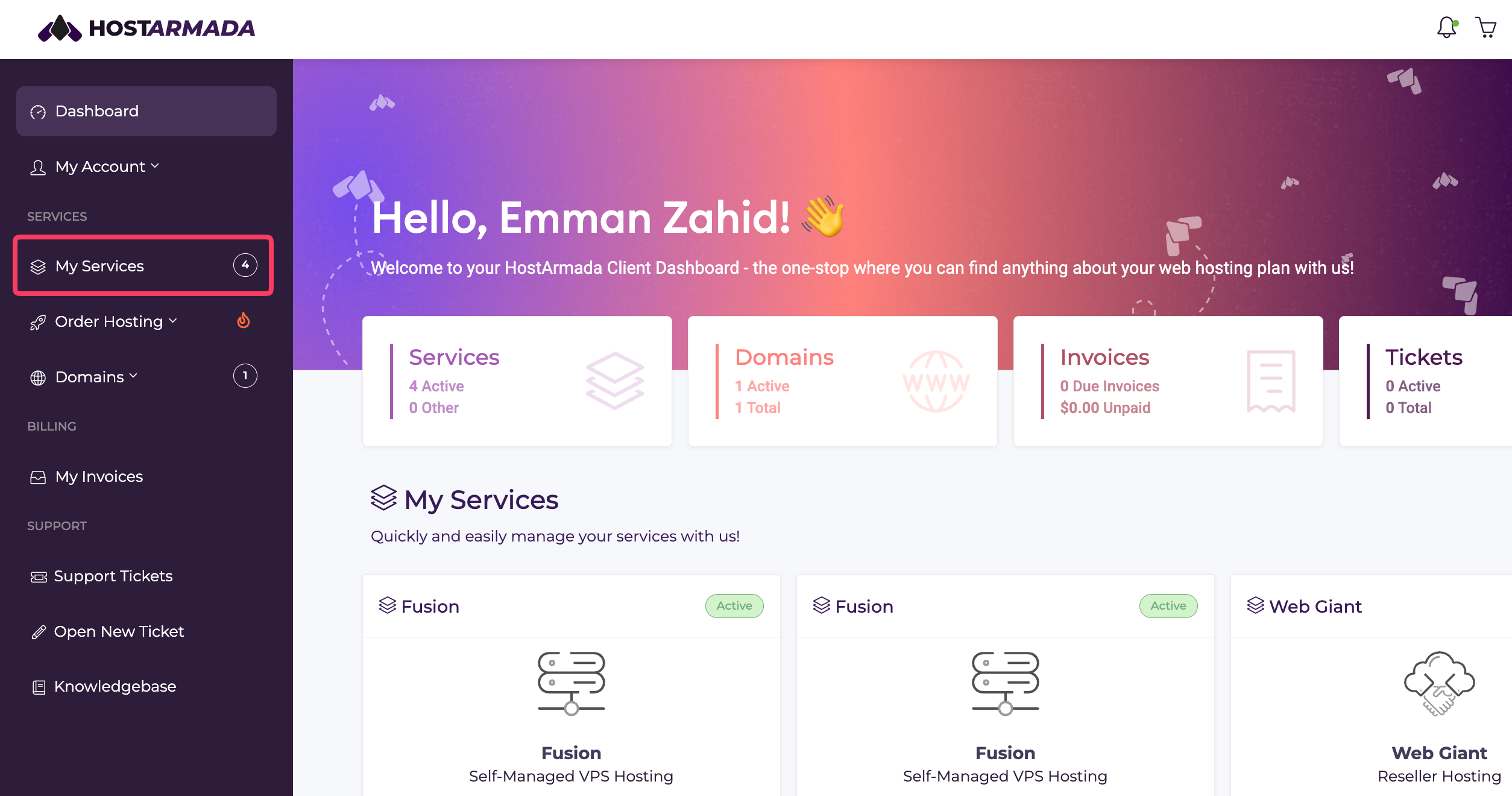
Log in to your Client Area and select My Services from the menu on the left.
-
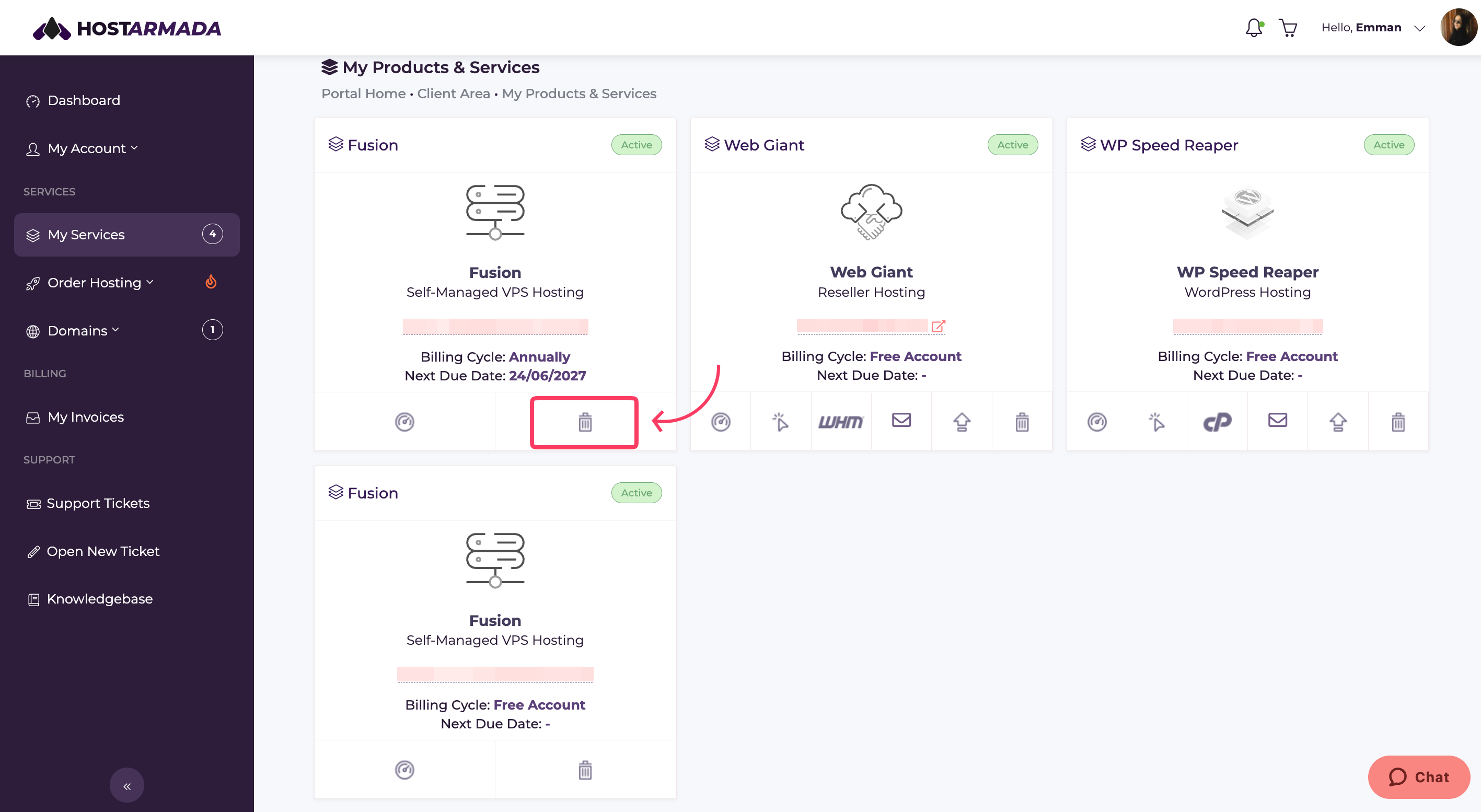
Find the hosting plan you want to cancel and click on the Trash Can icon.
-
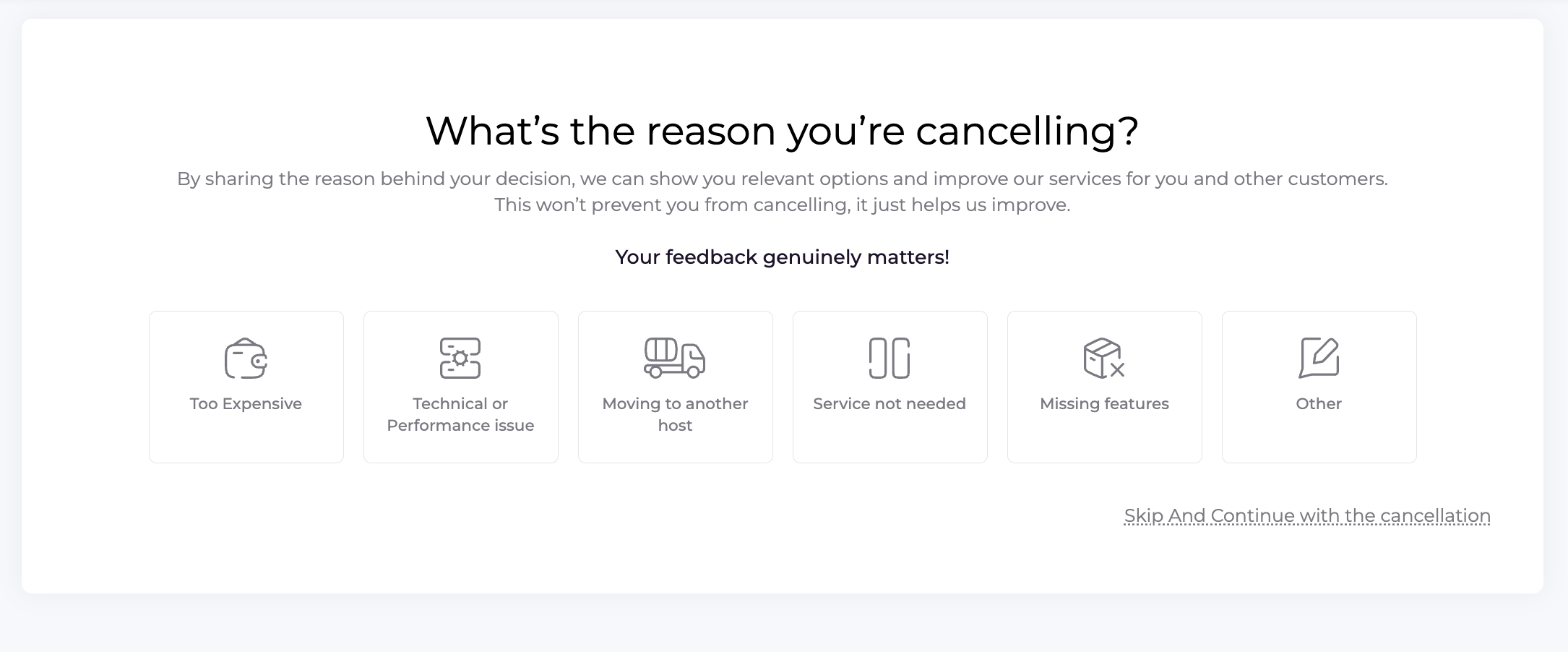
You will be redirected to the Request Cancellation page. Click on Other and enter the reason for the cancellation in the provided field. Be sure to clearly state that you want to keep your domain name active.
-
Submit the cancellation request by clicking Submit feedback. Our Billing Team will make sure that the domain’s renewal service remains active after the hosting plan is canceled.
After the cancellation is completed, your domain name will remain active. Future domain renewal fees will be billed separately.
The domain will continue to appear in the Domains section of your HostArmada Client Area, where you can manage it as usual.
