
You are more than welcome to edit/remove/add any card types that are supported as payment methods by HostArmada.
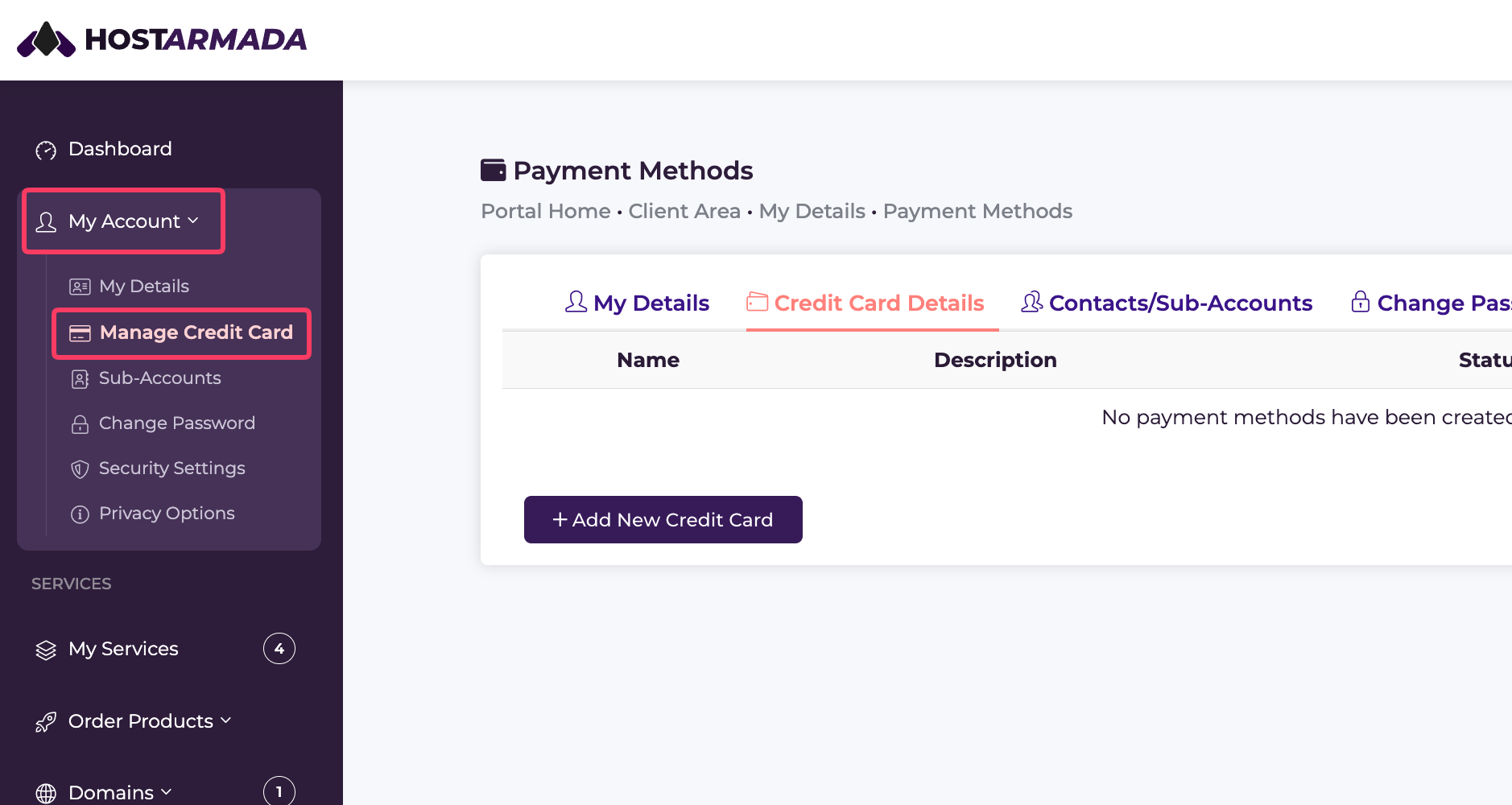
Simply navigate to your client area and go to My Account -> Manage Credit Card.
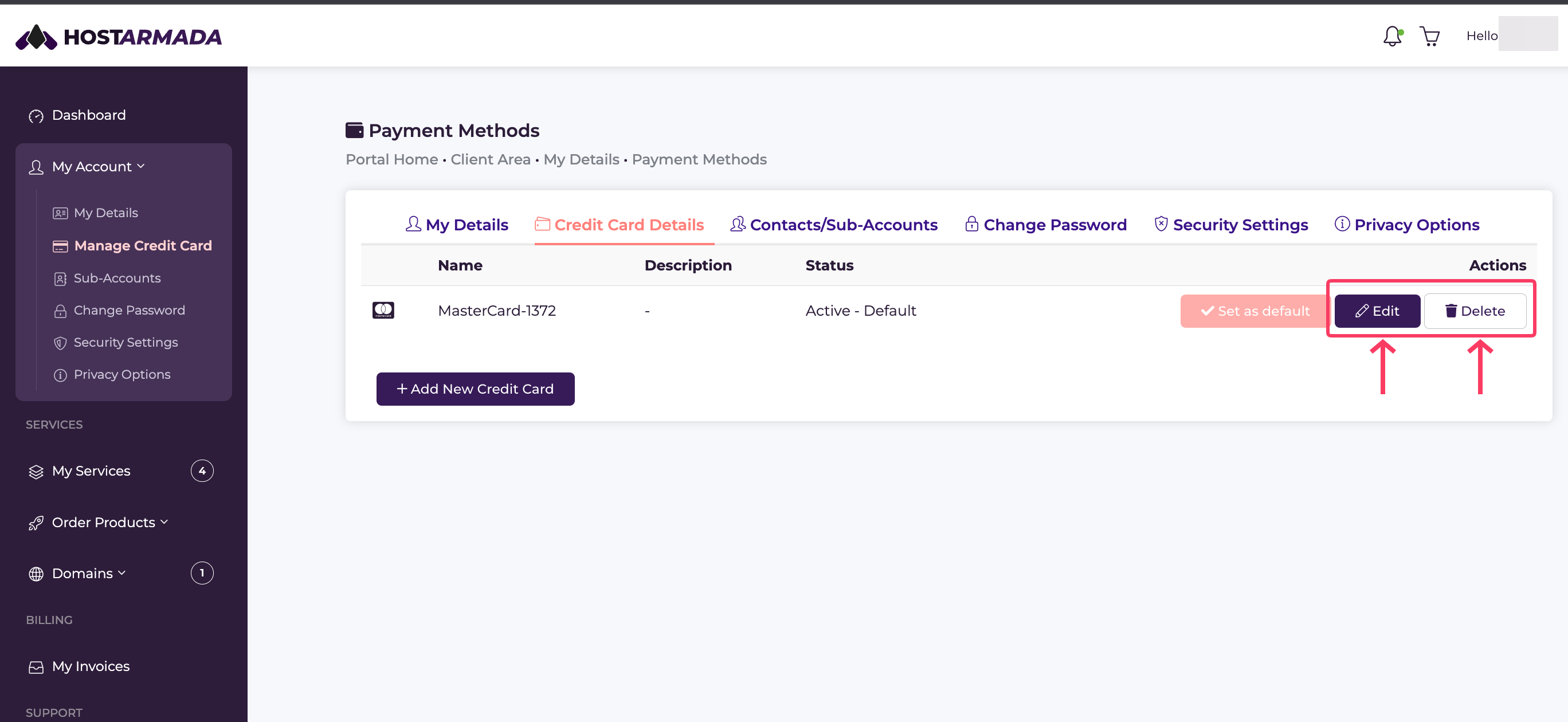
Once you’re already there, you will be presented with a list of cards that you already have in your account. Each card on the list has an Edit and a Delete button.
The Edit button lets you update any information on your card, and the Delete button lets you remove it from your HostArmada account.
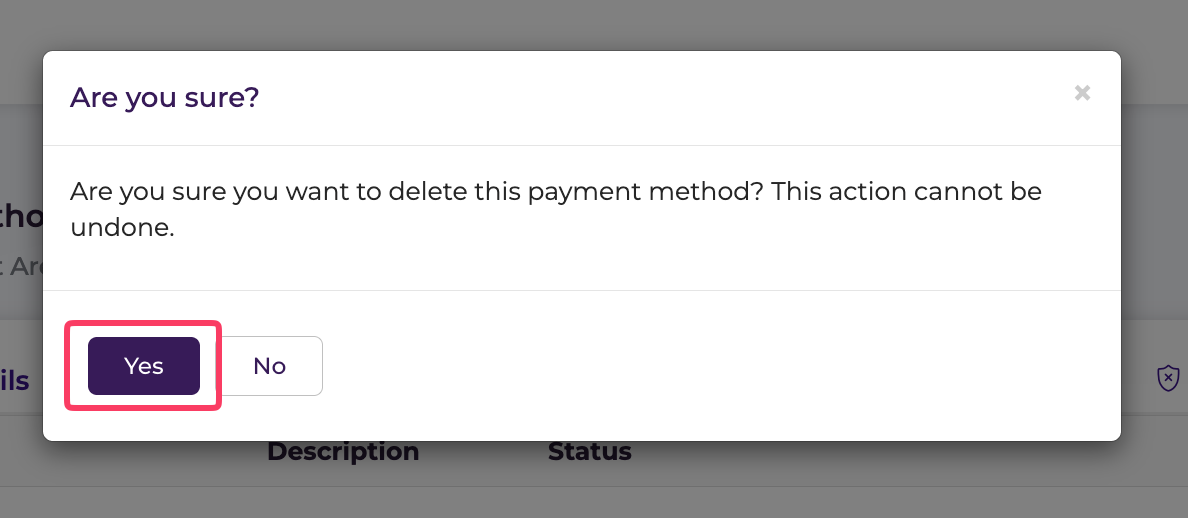
After you select the option to remove the card on file, you will need to confirm the action by clicking Yes in the pop-up window that appears.
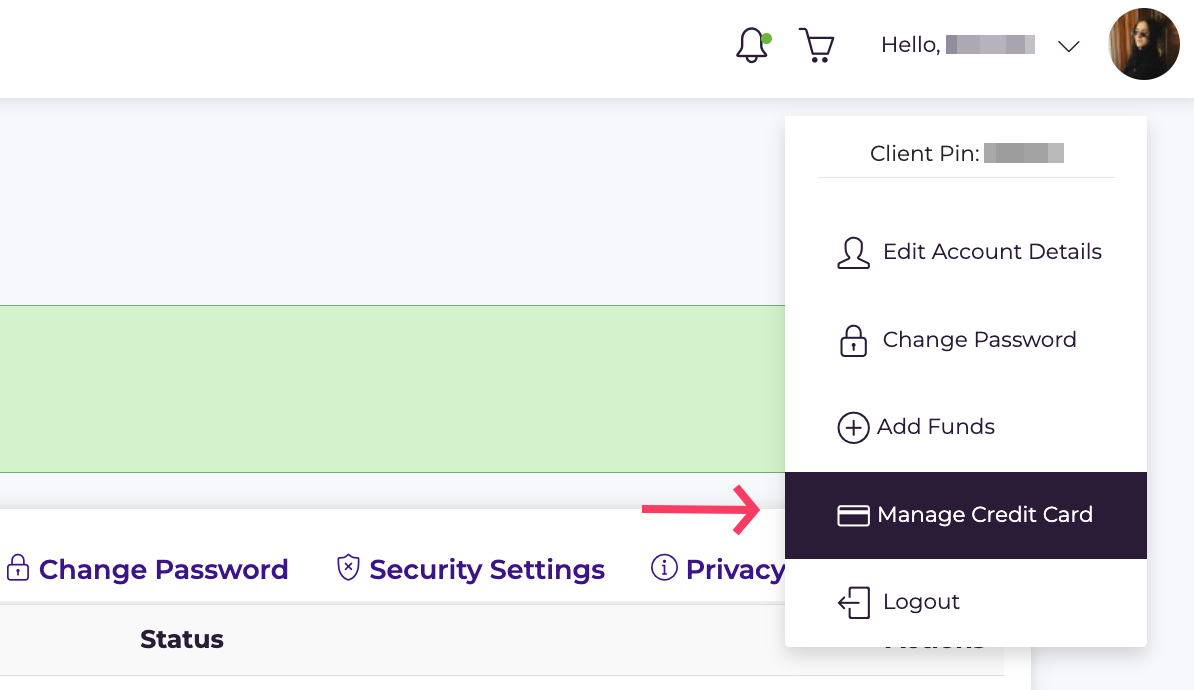
Alternatively, you can reach this menu by using the drop-down menu in the top right corner of your browser, where it says “Hello, YOUR NAME” and by selecting Manage Credit Card.
And that's it!
If you require any assistance with removing your credit card on file, feel free to reach out to our team at any time. After performing a standard verification procedure, we’ll be able to remove your card on your behalf.
