At the moment, at HostArmada, we do not provide this option in advance for manual use.
If you would like to renew your service before your due date, you can request assistance from our support through live chat, phone, or by submitting a ticket to our billing department. We will be more than happy to assist you and provide peace of mind regarding your payments and finances.
Alternatively, you can add funds to your account, which will be automatically used and withdrawn from the system when your service renewal is due.
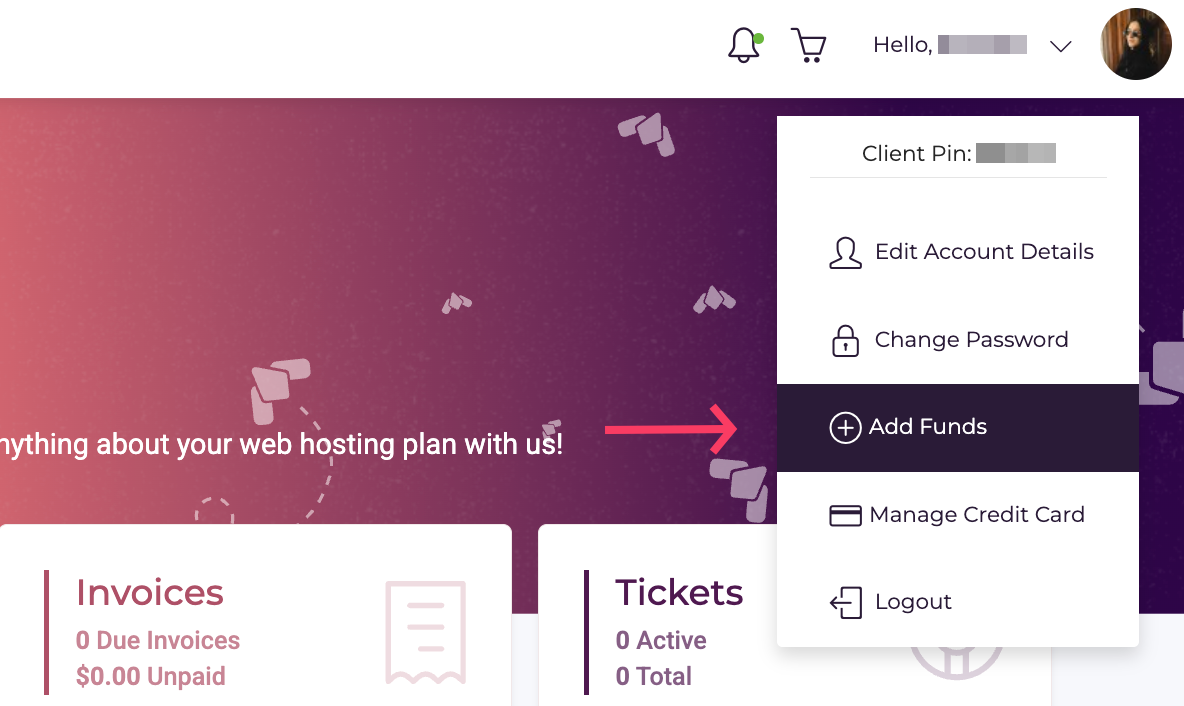
For this, log in to your Client Area and navigate to the upper right corner of the screen. From there, open the drop-down menu and click Add Funds:
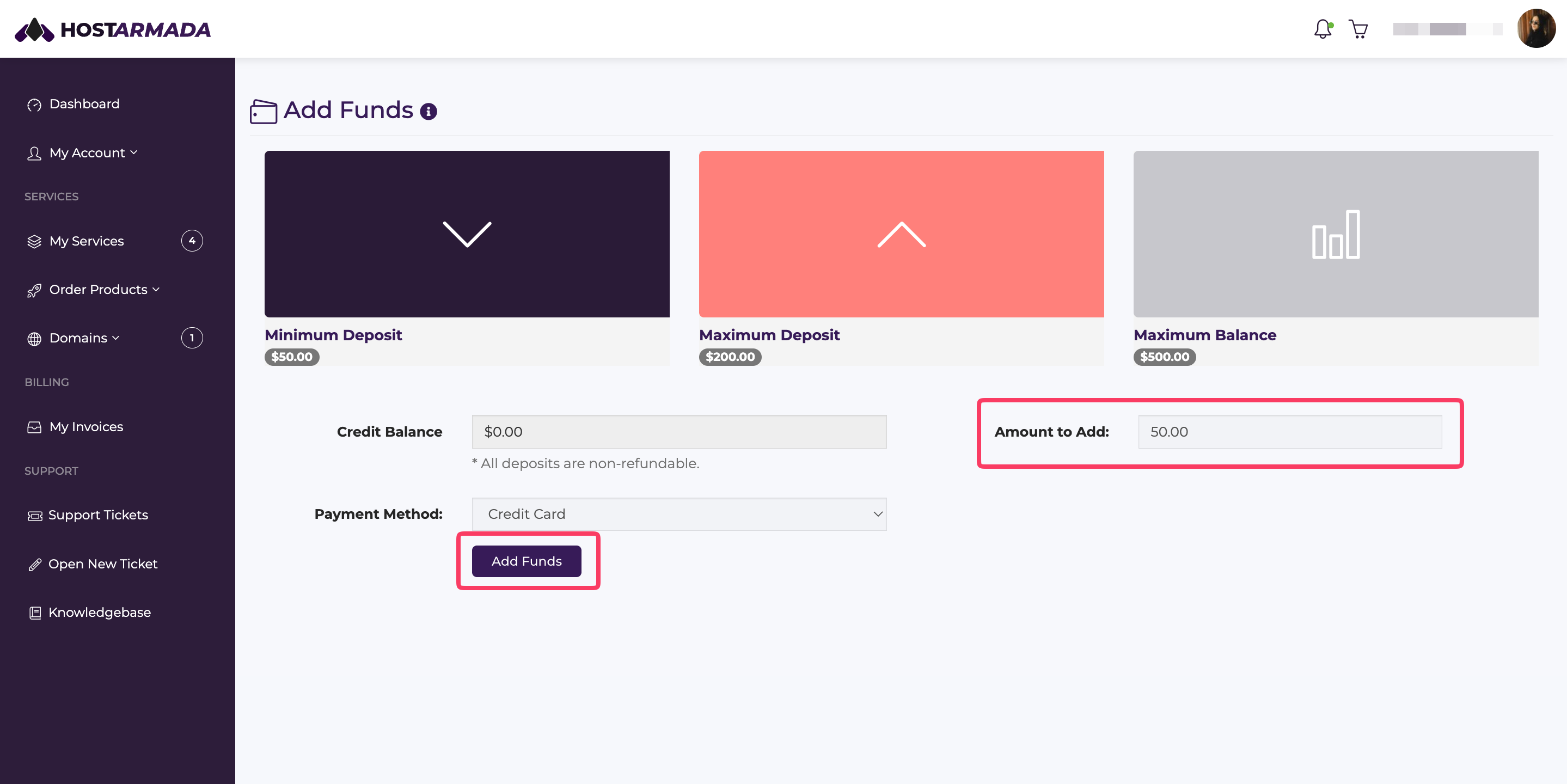
Once you select the Add funds menu, you will be able to make a deposit in the range of $50 - $200 per transaction.
These funds will be used before any credit card charge is applied. After the deposit is deducted from the renewal price (if it’s not sufficient to cover it), the remaining amount will be charged to your credit card automatically.
Enter the amount you want to deposit in the Amount to Add field. You also have the option to select between a credit card and PayPal. Once done, click Add Funds.
And that's it!
Anytime a new invoice is generated, it will always prioritize the deposited funds, so that is one way to preemptively cover your future hosting expenses. If the funds in your account exceed the renewal price of your service, only the renewal price will be deducted, and the remainder will be applied to future invoices.
