Webmail is a service that allows you to create, read, send, delete emails, and email accounts from your browser. It is typically installed on a server, and you will be provided with a user interface, allowing you to perform the mentioned actions. It comes by default with the cPanel service we offer, and there are a couple of ways you can access it. We will be discussing them in the next few paragraphs.
Access the webmail service from cPanel
- Log in to your cPanel account.
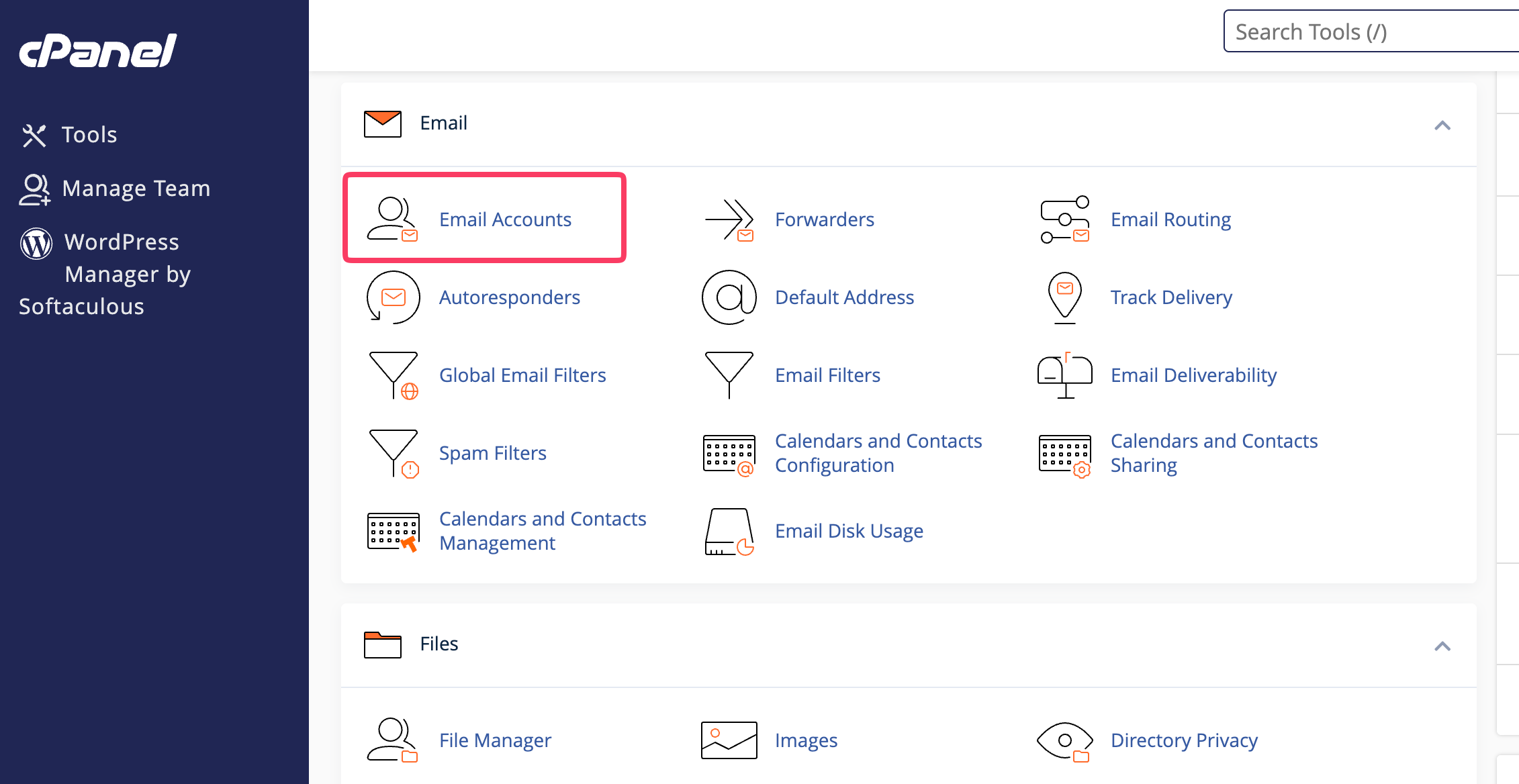
- Scroll down and navigate to the Email section and click on Email Accounts.
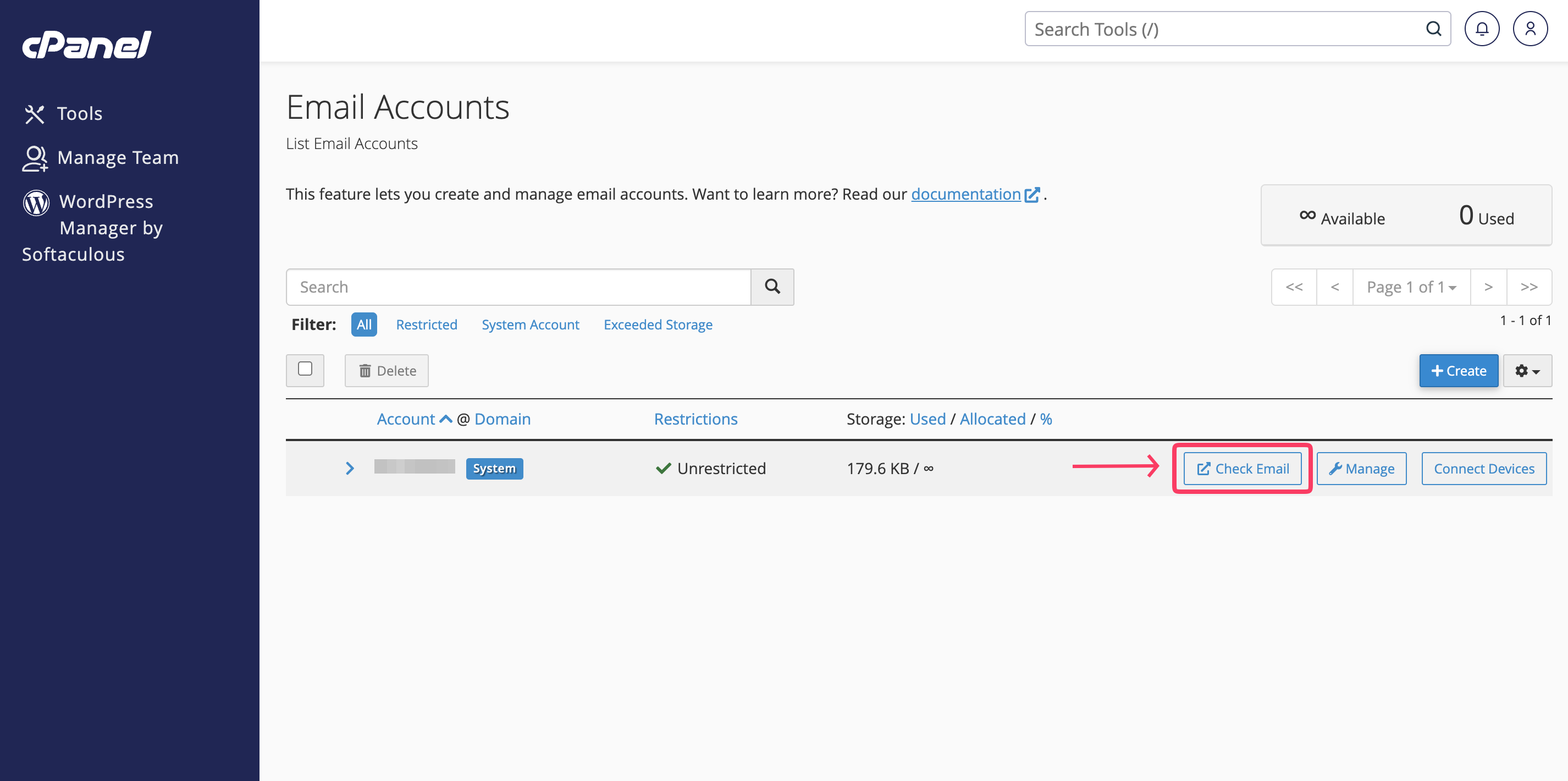
- Here, you will see rows with all your email accounts. To access the webmail, press the Check Email button.
If you do not have any email accounts yet, check out our tutorials on How to Manage your email accounts in cPanel Completely.
Access the webmail service from your web browser
- The webmail service operates on two ports - 2095 and 2096. The way to access the service from your browser is simple - please type either your domain name(assuming it points to our name servers), your server's IP address or your server's hostname, immediately followed by a colоn and then one of the two ports mentioned in the previous sentence. You can find this information in the "Welcome To HostArmada" email you received when you signed up for our service. Here are some examples:
- ger1.armadaservers.com:2096
- 1.2.3.4:2096
- mydomain.com:2095
- When you replace the details in the above examples with the ones in your "Welcome to HostArmada" email, type them in your browser, to land on the login page for the Webmail service.
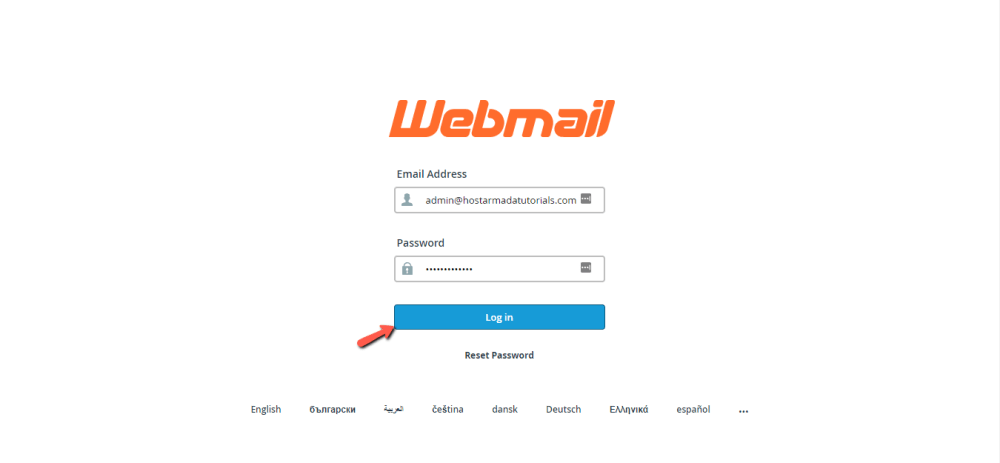
To enter, please type in your email account and password, that you created in cPanel.
Access the Webmail service from your Client Area
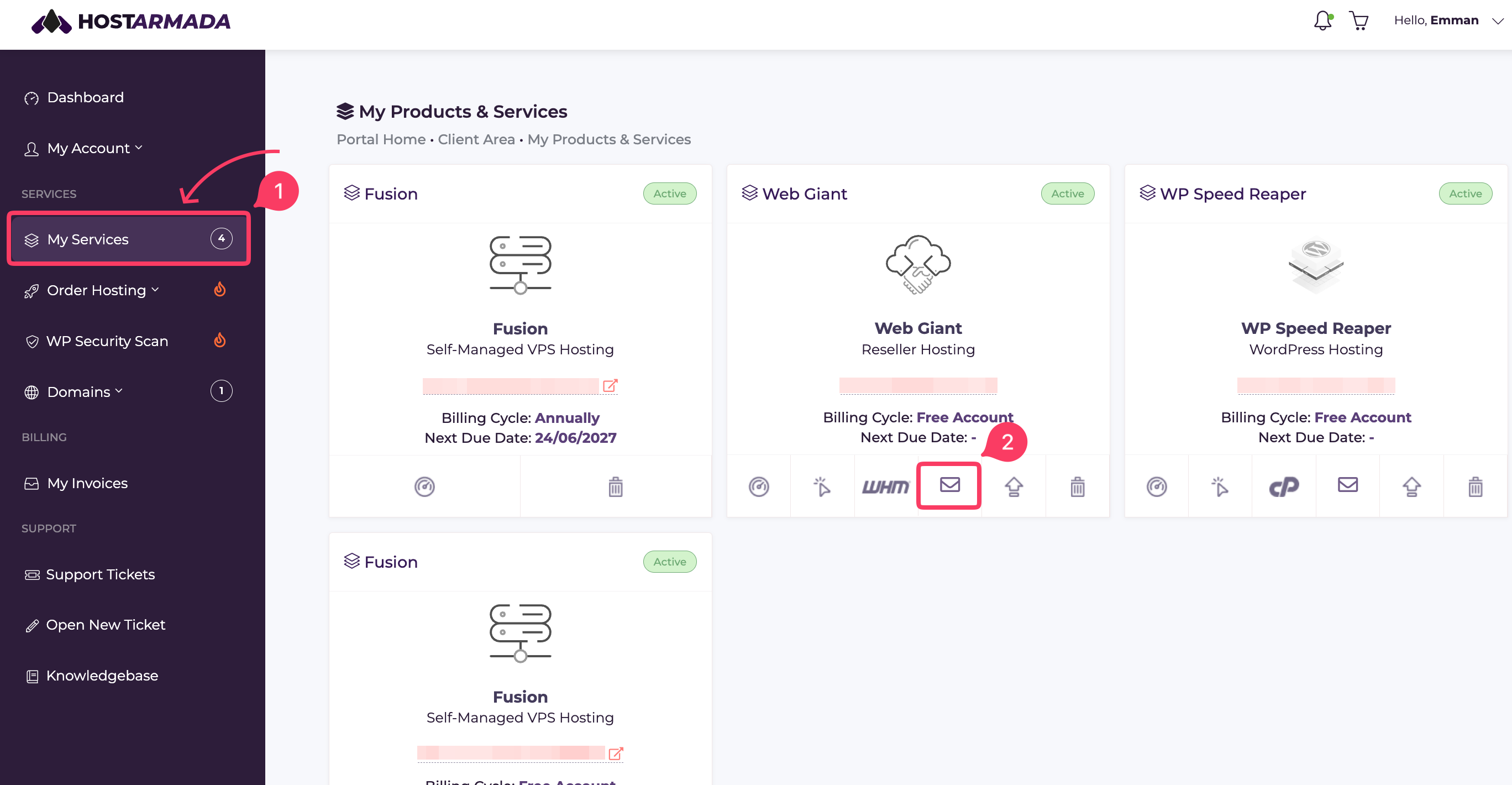
- Log in to your Client Area and click on My Services.
- You will be redirected to your products page. Select the icon resembling an envelope, corresponding to the product you would like to access the webmail service for.
You will be taken to the webmail login page, where you will need to enter your email address and password to access the Webmail service.
